
White Label Guest Posting: The Agency Workflow from Brief to Report
Ten guest posts promised, no outreach team, and a client who must never see a third party. Here is how white label guest posting runs: a 14-day plan, who sees what, the report columns and the margin maths.
Hamza Haroon
· 16 min read
A client has signed for ten guest posts this month. You don't have an outreach team, the report is due on day 14, and the client must never see another company's name on anything you send. That is the job white label guest posting exists for.
White label guest posting means a provider finds the sites, writes the articles and gets them published, while your agency resells the guest posts to clients under its own name and the client never deals with the provider.
You will also see it called white label guest blogging or white label outreach, and an agency that buys this way is, in effect, a guest post reseller. The client sees your agency, your report and the live links. The provider stays out of sight.
We sell this service and have delivered more than 1,800 links to agencies, so this guide is written from the provider's side of the table. It starts with what you get and a 14-day plan that gets ten posts live before the report date. Then it covers who sees what, the report columns to forward, the margin maths, how to choose a provider and when a marketplace suits you better. It ends with a kickoff email you can copy.
What white label guest posts include, and what they don't
A white label guest post is a finished placement, not a task list you manage. Before you resell one, be clear on where the provider's job ends and yours starts, because the gaps are where client complaints come from.
Usually included:
- Finding sites in the client's niche and checking their traffic, DR, rankings and history.
- A site list you approve before anything is pitched.
- The article, written in the publisher's style, with the client's link in the body.
- Outreach to the publisher, and the publisher's fee.
- A check once the post is live: link in place, anchor as agreed, page indexed.
- An unbranded report, and a replacement if a link is removed.
Usually not included:
- Choosing target pages and anchor text. A provider can suggest them, but you know the client's goals and the rest of their link profile, so the call is yours.
- Keyword research, on-page fixes or content on the client's own site.
- Any contact with the client. That is the point of white label.
- A ranking guarantee. Nobody controls Google's results, so read a promise of positions as a warning sign.
- Promotion after publishing. Sharing the post or building links to it is a separate job; a guest post order normally ends at the live link.
- Your retail price and your invoice.
As an example of scope, the white label service from ReputePost covers guest posts, niche edits and SaaS links in all niches, with the writing included and no minimum order. That matters when one client's campaign needs more than one link type: one provider, one report. If someone on your team is new to the format itself, start with what guest posting is in SEO and how a single post gets placed.
How white label guest posting works: a 14-day timeline
White label guest posting runs in seven stages over about two weeks: brief, site list, client approval, writing, placement, live check and report. The writing and outreach are the provider's job; the approvals are yours, and they are the easiest stage to lose days on. The plan below works back from a report on day 14 for ten guest posts and pulls the client's sign-off as early as it can go. Treat it as a planning model: publishers vary, so the days are targets, not a promise.
In the chart, each bar is a stage and the line under its name says who owns it. The dashed line at the end of day 4 is the approval deadline: every later stage depends on it, so it is the one date to agree with the client before the month starts.
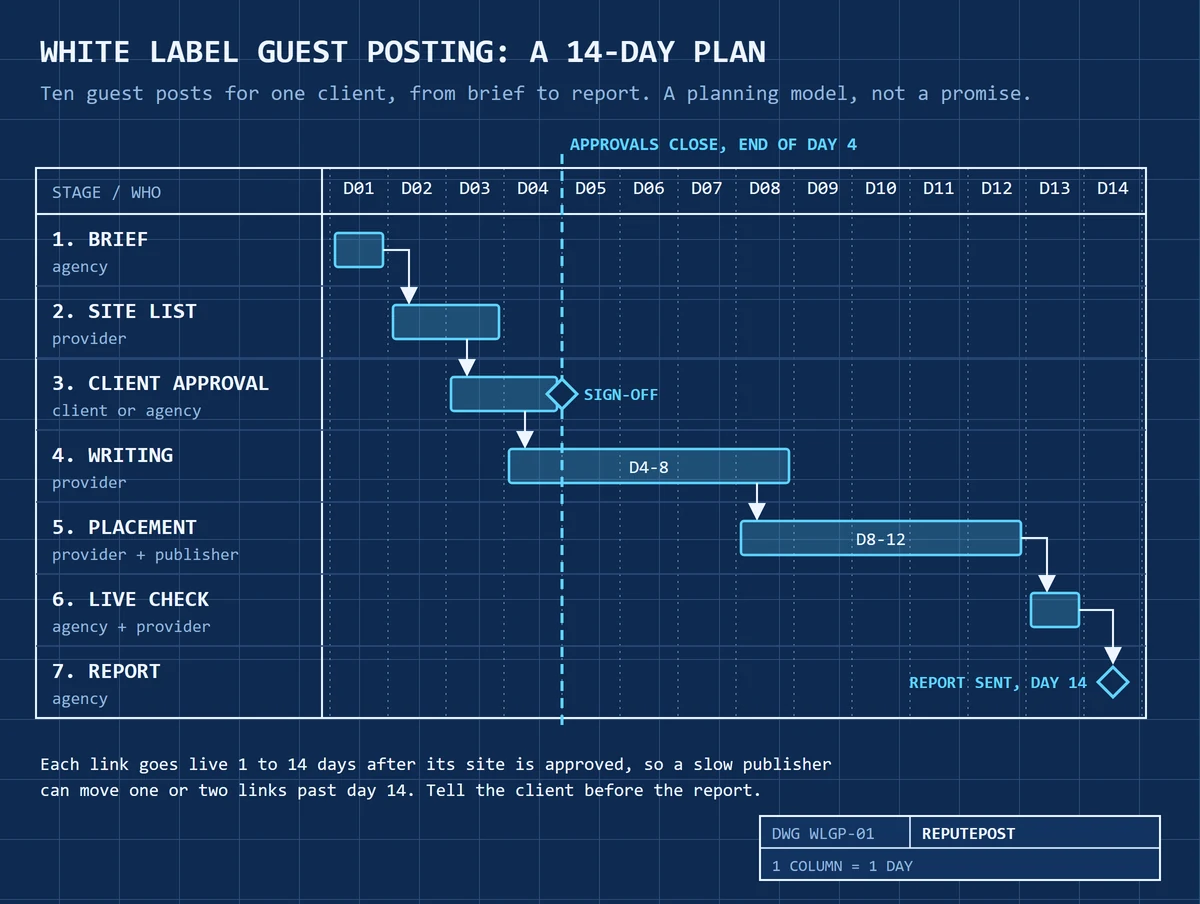
The 14-day plan for ten guest posts, as a Gantt chart. Each bar shows the days a stage runs and who owns it; the dashed line is the approval deadline. It is a planning model: with our service each link goes live 1 to 14 days after its site is approved, so a slow publisher can push a link past day 14.
Day 1: the brief
Send the provider one brief per client: target URLs, the anchor text for each link, the niche, any sites or topics to avoid, the minimum DR and monthly organic traffic, and the report date. Anchors are easy to leave vague. Give each link its own anchor and mix branded, URL and descriptive ones instead of repeating the client's main keyword ten times. The kickoff email at the end of this guide has a field for each of these.
Days 2 to 3: the site list
Ask for more sites than you have slots, for example 14 to 16 for ten posts, so you can turn some down without restarting the search. Each row should show the domain, niche, DR, monthly organic traffic, a recent post on that site and whether the link will be followed. A list that hides the domains until you pay is not a site list you can approve.
Days 3 to 4: client approval
This is the easiest place to lose days. Decide up front whether the client approves sites or you approve them on the client's behalf. If the client approves, send the list without the provider's name or prices, give them a 24-hour deadline in your agreement and say what happens if they miss it (you approve). Every day lost here comes out of the publisher's time at the end.
Days 4 to 8: writing
The provider writes one article per approved site, in the style that site already publishes. If your client wants to read drafts, say so in the brief and allow an extra day, because a review loop adds time. Some clients only want the live links.
Days 8 to 12: placement
The articles go to the publishers. Editors may ask for changes, publish the next day or take a week. With our service each link goes live within 1 to 14 days of its site being approved, so in a 14-day month a slow publisher can push one or two links past the report date. Tell the client before it happens. "Ten posts ordered, eight live, two scheduled" reads far better than a quiet gap.
Day 13: the live check
Open every URL yourself, even if the provider has checked it. The post should be live and indexable, the link should point to the right page with the agreed anchor, and the rel attribute should be what was agreed. A live post with a noindex tag, or a link changed during editing, counts as not delivered.
Day 14: the report
The provider's sheet arrives without provider branding. You copy the client columns into your own template, add your logo and send it. The next two sections cover who sees what along the way and which columns go to the client.
Who sees what: client, agency, provider and publisher
White label works when each party sees what it needs and nothing more. The table shows the usual split in white label outreach. If your arrangement differs, agree it in writing before the first order.
| What | Client | Agency | Provider | Publisher |
|---|---|---|---|---|
| The client's company and contacts | Their own | Yes | Only the website the links point to | Only the website the links point to |
| Your agency's name | Yes | Yes | Yes | No |
| The provider's name | No | Yes | Yes | Yes, the provider pitches them |
| Target URLs and anchors | Approves them | Sets them | Uses them | Sees them in the article |
| Site list with metrics | Without prices, if they approve sites | With wholesale prices | Prepares it | No |
| Article draft | Only if they ask | Optional review | Writes it | Edits and publishes it |
| Byline and author bio | Sees it on the post | Agrees it in the brief | Proposes it | Publishes it |
| Publisher contact and fee | No | No | Yes | Yes |
| Wholesale price | No | Yes | Yes | No |
| Retail price | Pays it | Sets it | No | No |
| Live URL and report | In your template | Yes | Sends it | Hosts the post |
Two rows need the most care. The first is the byline: ask what name and bio go on each post, because an author profile that links back to the provider tells the client who did the work. The second is the approval list: strip the provider's name, logo and prices before you forward it. Your client will always know which sites carry their links, since the live URLs are the deliverable. They only learn who placed them if something on the page or in a document tells them.
The unbranded report: which columns go to the client
A provider's working sheet holds more than your client should see. Split it before it leaves the agency: the client gets proof that each link exists and what it is worth, while the money and the provider's contacts stay with you.
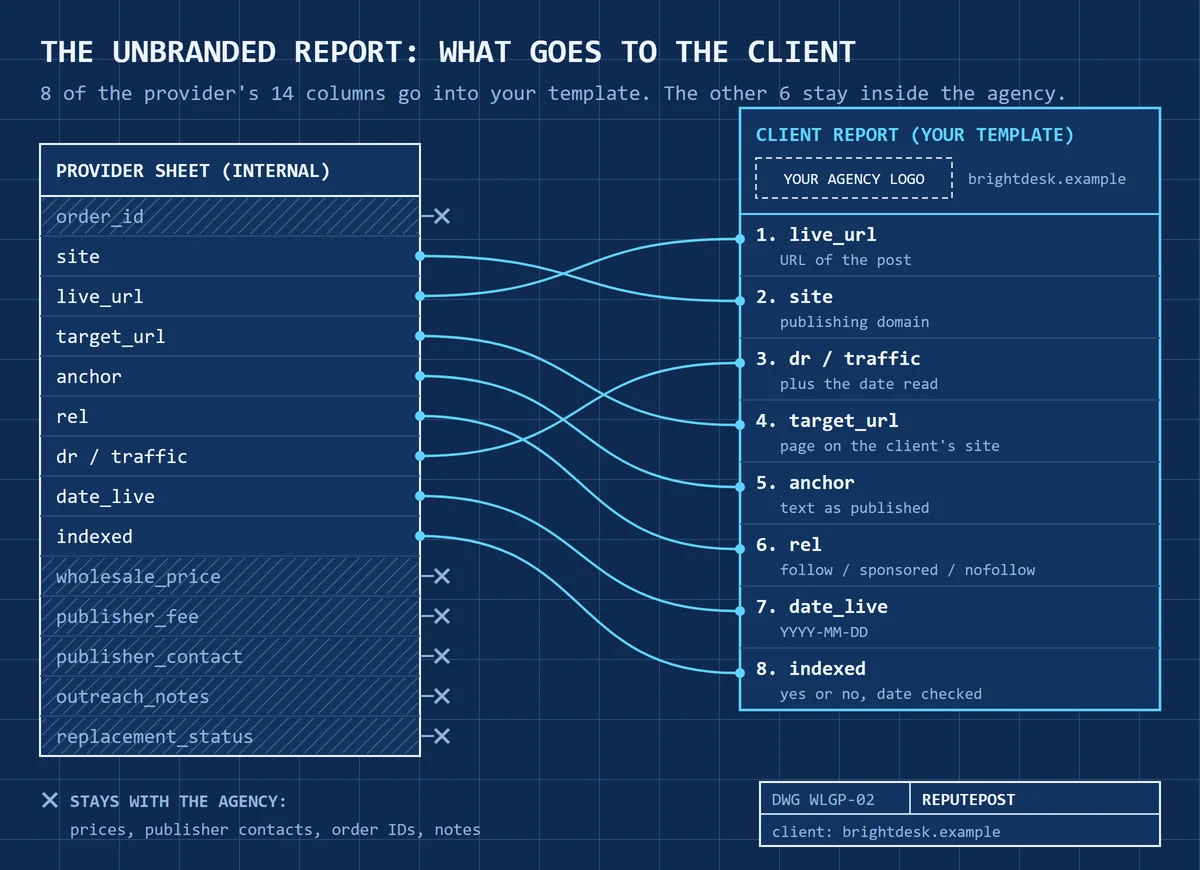
Which columns of the provider's sheet go into your client report. Eight carry over; the six crossed out (prices, publisher contacts, order IDs, notes and replacement status) stay inside the agency. The client domain is made up.
Columns for the client:
- Live URL of the post.
- Publishing site.
- Site DR and monthly organic traffic, with the date you read them, because both change.
- Target URL on the client's site.
- Anchor text, as published.
- rel attribute: followed, sponsored or nofollow.
- Date live.
- Indexed: yes or no, with the date checked.
Columns that stay internal: the wholesale price, the publisher's contact and fee, the provider's order or invoice number, outreach notes, rejected sites and the replacement status of any link that dropped.
Our own white label reports come as Google Sheets with no ReputePost branding. They list the live URL, DR, traffic and anchor text of every link, so you can forward one as it is or paste the rows into your template. For the monthly reviews after delivery, add the metrics worth tracking for each link at 30 and 90 days.
Report the rel attribute as it is. Google's spam policies (read on 20 November 2026) list "exchanging money for links, or posts that contain links" as link spam, and say such links are fine "as long as they are qualified with a rel="nofollow" or rel="sponsored" attribute value". So the client should know which kind of link each post carries, and the report is where they find out. If anyone on the account is unsure of the terms, here is how sponsored and nofollow differ in the HTML.
How guest posting for agencies is priced: wholesale vs retail
There is no standard price list for white label guest posting services. The wholesale price of each post follows the site: its traffic, DR and niche, and what the publisher charges. Many providers, us included, quote after a call rather than publishing prices. What you control is the gap between that wholesale price and what you charge your client.
The numbers below are made up to show the maths. They are not ReputePost prices.
| Line (illustrative numbers) | Per post | 10 posts |
|---|---|---|
| Wholesale price from the provider | $200 | $2,000 |
| Your retail price to the client | $350 | $3,500 |
| Gross profit before your time | $150 | $1,500 |
| Your team's time (5 hours a month at $60 an hour) | $30 | $300 |
| Profit after your time | $120 | $1,200 |
| Margin on the retail price | 34% | 34% |
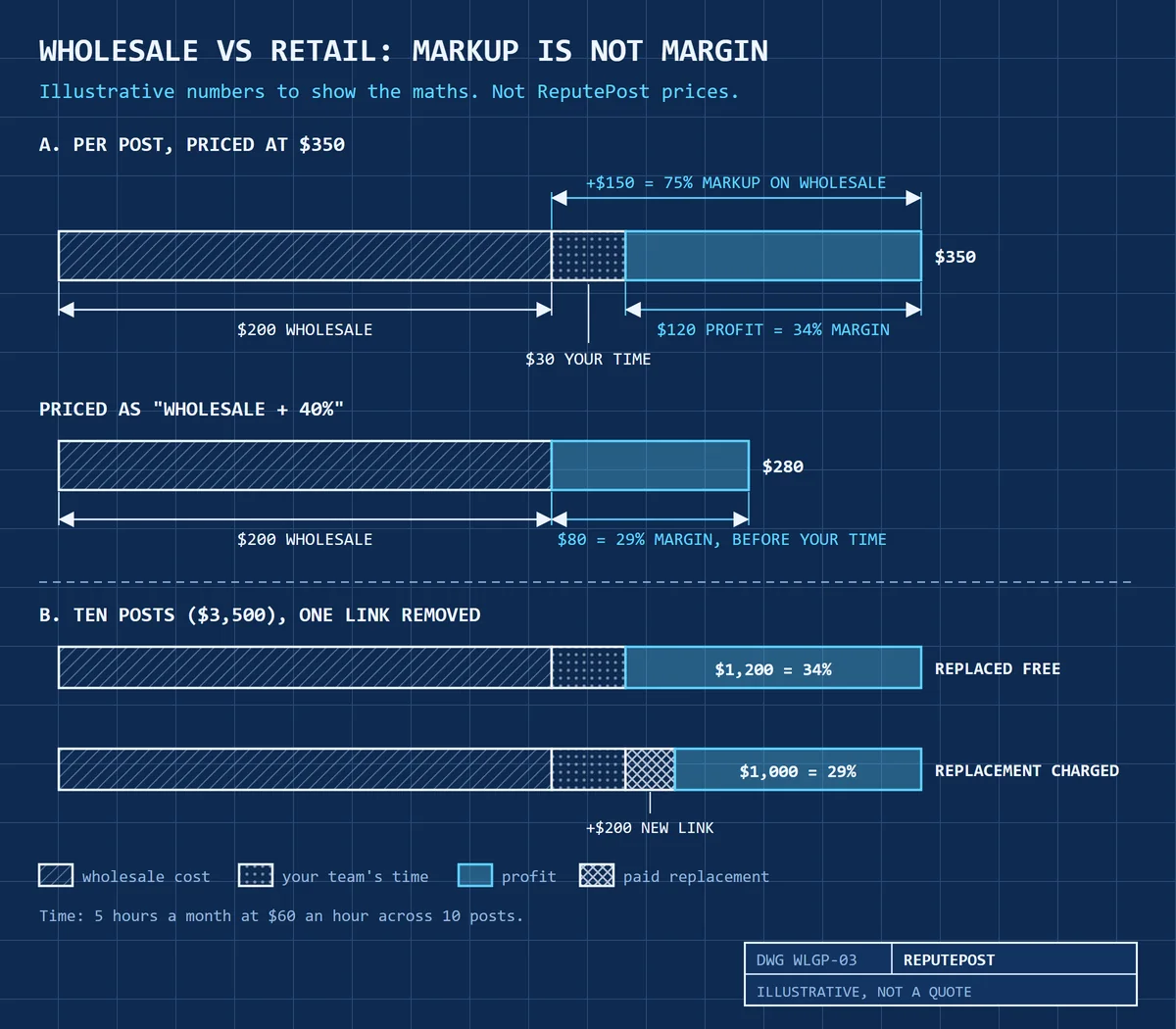
The margin example drawn to scale. Illustrative numbers, not ReputePost prices: a 75% markup is a 34% margin once your time is counted, and a charged replacement takes the ten-post margin from 34% to 29%.
Three things the example shows:
- Markup is not margin. $200 marked up by 75% is $350, yet your margin is 43% before your time and 34% after it. Pricing as "wholesale plus 40%" sounds like a 40% margin, but $200 plus 40% is $280, and $80 of $280 is a 29% margin before a single hour of account work.
- Your hours are a cost. Briefing, approvals, client questions and the report took five hours in this example. Track your real figure for one month; it sets your floor price more than the provider's quote does.
- Replacement terms change the margin. If one link in ten is removed and the provider charges again for the new one, that is another $200, and the month's profit falls from $1,200 to $1,000, a 29% margin. A free replacement keeps it at 34%. Ours is a free replacement link within 1 to 14 days, and a refund if you're still not satisfied.
How you sell it matters too. Some agencies resell guest posts per link, so the client sees a price per placement. Others fold them into a monthly SEO retainer, where the client pays for the work and the reporting and never sees a per-link figure. A retainer keeps the wholesale price out of view; per-link pricing is easier to explain when a month costs more than the last. If you are still weighing a hire against a partner, this comparison of backlink outsourcing options turns each one into a cost per live link.
How to choose a white label guest post service: questions and red flags
Whether you call it a provider, a partner or a white label guest post agency, ask these before the first order. One worth using answers each of them plainly, in writing or on the first call.
- Do I approve every site before it is pitched? If not, you can't promise the client anything about where their links will go.
- What does each site row show? Look for monthly organic traffic and a recent post, not DR or DA alone, since both can be inflated.
- How do you vet sites, and how many do you turn down? A real bar sounds specific. Ours is 1,000+ monthly organic visitors, Ahrefs DR 20+, real rankings and no penalties, with every site checked by a person. We have reviewed 73,000+ websites, and on 17 November 2026 the 7,543 sites we had rejected were all under 1,000 monthly organic visitors.
- Who writes the articles, and can I see drafts? Writing should be included, with drafts available when a client asks.
- What name and bio go on each post? Neither should mention or link to the provider.
- Do you ever contact my client? The answer should be a flat no. Ours is: we never contact your clients.
- What happens when a link is removed or changed? Get the replacement window in writing, and whether the replacement is free.
Red flags:
- A site list with the domains hidden until you pay.
- Metrics with no traffic figure, or traffic that a free check of the site's rankings doesn't support.
- The same few general sites offered for every niche, or sites with thin posts, no readers and the same authors across many domains, which is how private blog networks look.
- Promises of rankings, or paid links described as "Google-safe".
- Reports with the provider's logo, tracking links or a client login on the provider's domain.
- No written replacement terms, or a long contract before a test order.
Start with one client and a small order, and do the day-13 live check yourself. A provider's first month tells you more than any sales call.
White label blogger outreach vs buying from a marketplace
White label blogger outreach means the provider pitches publishers, writes and places the posts for you. The other route is a self-serve marketplace, where you pick each site from a list with prices shown and order the placement yourself. Both work for agencies. They differ in who does the work and in what you have to package for the client.
| White label blogger outreach | Self-serve marketplace | |
|---|---|---|
| Who picks the sites | The provider proposes, you approve | You pick each one |
| Who writes and deals with the publisher | The provider | Varies by platform; you may supply the article |
| Your team's time | The brief, approvals and the report | Searching, ordering and checking each link |
| Prices you see | Agreed per campaign | A price on each site |
| What the client gets | An unbranded report, ready to forward | Whatever report you build from your orders |
| Best when | Volume across clients, or no one in-house does outreach | You have the time and want to choose every site |
The two can sit side by side. A marketplace suits a few hand-picked placements for one client when someone on your team has the time. White label blogger outreach suits volume across several clients, or any client whose reports must carry nothing but your brand. If you are deciding for the first time, count the hours. When finding, ordering and checking links for one client would take your team more than a few hours a month, outsource white label guest posting for that client. Keep self-serve buying for one-off picks.
A kickoff email to send your provider
Copy this, fill in the brackets and send it with the first order. It answers the questions a provider would otherwise ask on day 2, which keeps the 14-day plan on time.
Subject: White label guest posts for [client site], [month]

Hi [name],

We'd like to start a white label guest posting order for one of our clients.

Client site: [client-domain.example]
Niche: [niche]. Please avoid: [topics or sites to exclude]
Number of posts: [10]. Report due: [date, day 14]

Target pages and anchors (one line per post):
1. [target URL] | [anchor text]
2. [target URL] | [anchor text]
3. [target URL] | [anchor text]

Site rules:
- Minimum DR [20] and [1,000] monthly organic visitors, read in the last 30 days
- Real rankings in the niche; no sites that publish on every topic
- Please send [14 to 16] sites for [10] posts by [day 3]
- We approve every site before you pitch it

Content:
- Writing included, [800 to 1,200] words, no links to the client's competitors
- The byline and bio must not mention or link to your company
- Drafts: [send them for review / publish once the site is approved]

White label:
- Never contact our client
- Report in Google Sheets with no branding: live URL, site, DR, traffic,
  target URL, anchor, rel attribute, date live, indexed
- Tell us the rel attribute each link will carry before it goes live

If a link is removed: [replacement window and terms we agreed]

Thanks,
[your name], [agency]Related articles
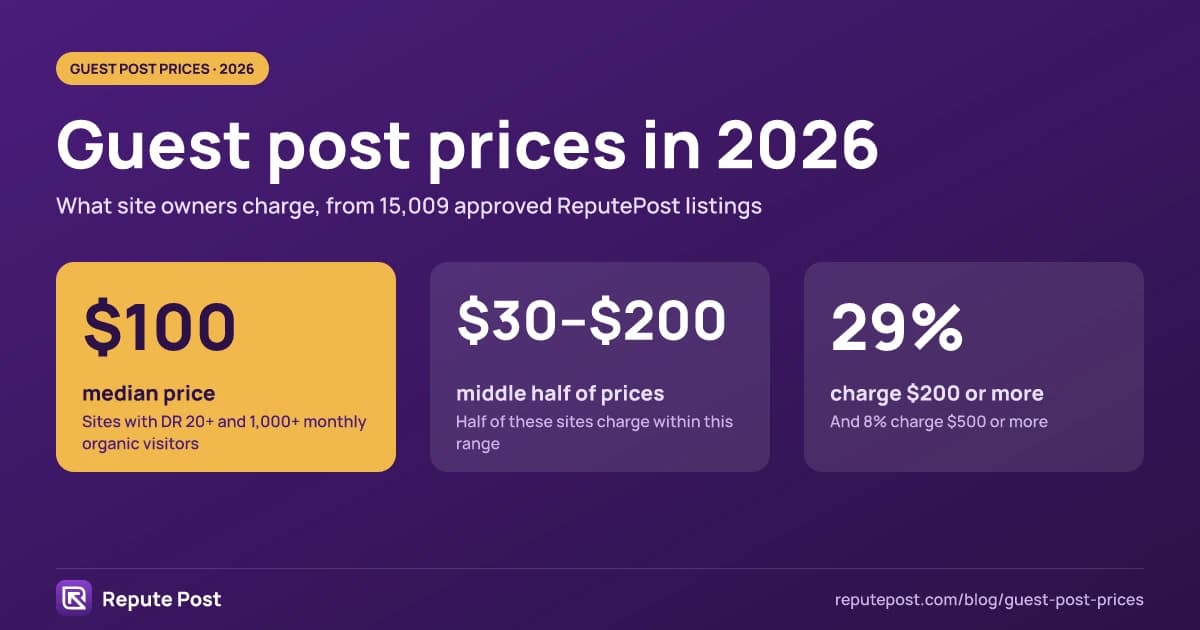
Guest Post Prices in 2026: What a Guest Post Costs by Traffic and DR
Real guest post prices from 15,009 approved ReputePost listings: medians by monthly traffic, DR and niche, how prices are spread, what writing the article adds and how to tell if a price is fair.
10 min read
What Are Niche Edits? How Link Insertions Work in SEO
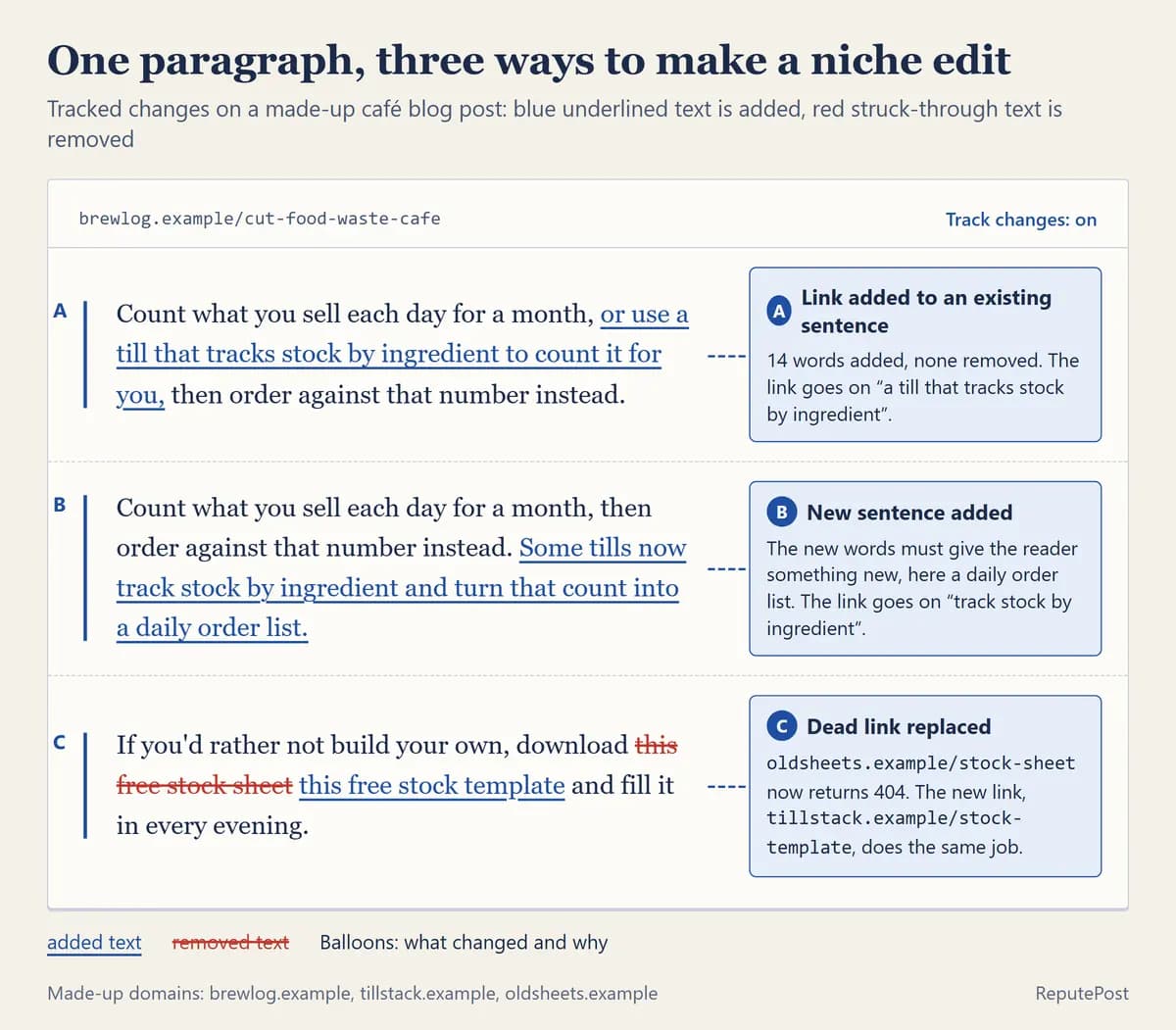
A niche edit adds your link to an article that already ranks. See one edit before and after, the six stages it goes through, how it compares with a guest post, and the page checks to run first.
16 min read
Cheap Backlinks: What $10, $50 and $100 Really Buy
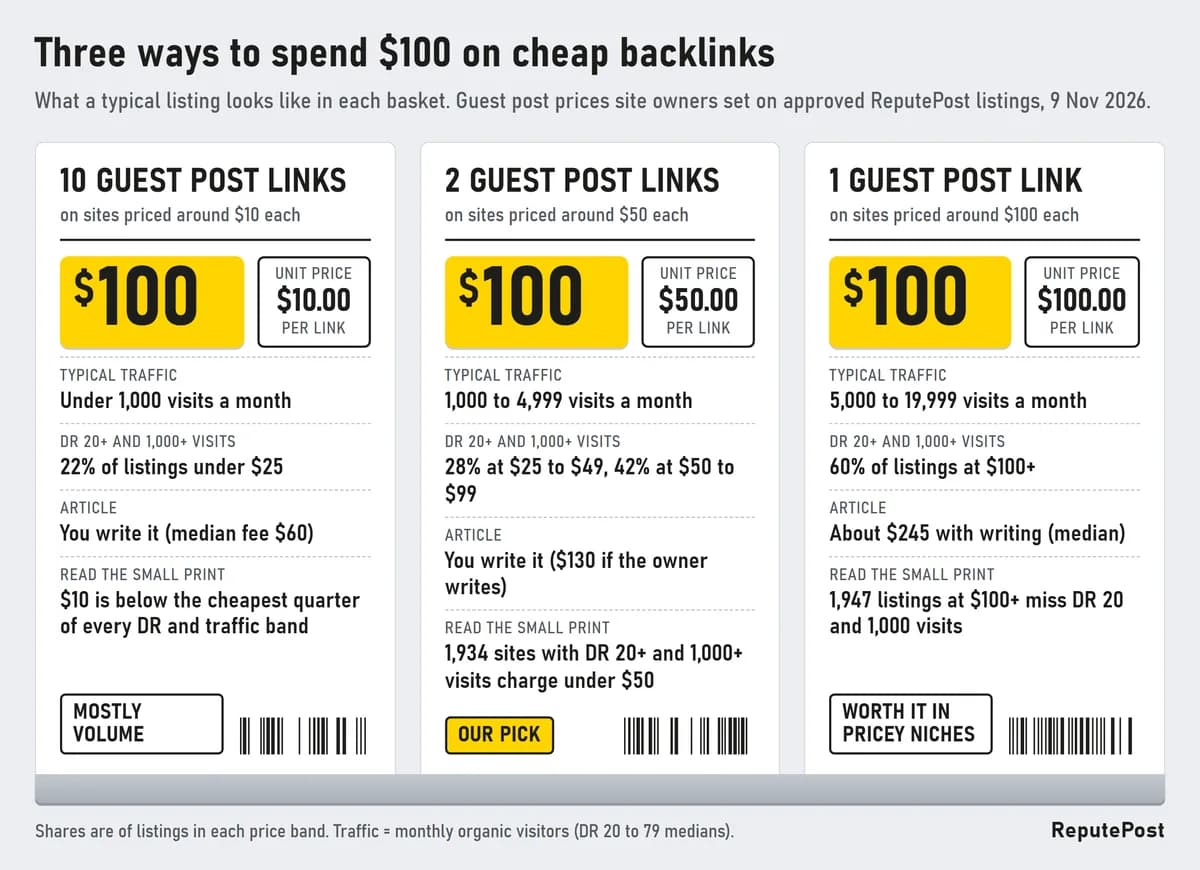
Ten $10 links, two $50 links or one $100 link? We sorted 15,812 approved listings by price to show what cheap backlinks really buy, the red flags in cheap offers, and how to buy safely.
19 min read