
Link Attributes in SEO: HTML Code for Nofollow, Sponsored, UGC and Dofollow Links
A code-first reference to link attributes: why rel="dofollow" does nothing, the HTML for nofollow, sponsored and ugc, combinations like ugc nofollow, what noopener and noreferrer do, Google's 2019 hint model, and a table to copy.
Hamza Haroon
Updated · 14 min read
There is no rel="dofollow". A link is followed unless its code says otherwise, so the HTML for a dofollow link is a plain link with no rel attribute at all:
<a href="https://example.com/">anchor text</a>That plain link is the whole "do follow" link HTML code. Adding rel="dofollow" or rel="follow" changes nothing, because neither value appears in Google's documentation or in the HTML standard. Only three rel values change how Google treats a link:
<a href="https://example.com/" rel="nofollow">anchor text</a>
<a href="https://example.com/" rel="sponsored">anchor text</a>
<a href="https://example.com/" rel="ugc">anchor text</a>
This page is a reference for those link attributes: the code for each value, when to use it, how to combine values, what noopener and noreferrer do, and how Google has treated nofollow, sponsored and ugc since 2019. The last section is a table you can copy.
Dofollow link HTML code: why rel="dofollow" does nothing
The rel attribute holds keywords that describe how a page relates to the page it links to. Browsers and search engines act on the keywords they know and skip the rest. "dofollow" isn't one of them. It isn't among the values in Google's guide to qualifying your outbound links, and it isn't a link type in the HTML standard. So, as far as Google is concerned, these three are the same link:
<!-- All three are ordinary, followed links -->
<a href="https://example.com/">anchor text</a>
<a href="https://example.com/" rel="dofollow">anchor text</a>
<a href="https://example.com/" rel="follow">anchor text</a>
Google puts it plainly: "For regular links that you expect Google to fetch and parse without any qualifications, you don't need to add a rel attribute." For SEO, follow links are simply links without nofollow, sponsored or ugc in their rel value. The difference between a nofollow link and a dofollow link? Dofollow HTML just doesn't have that value.
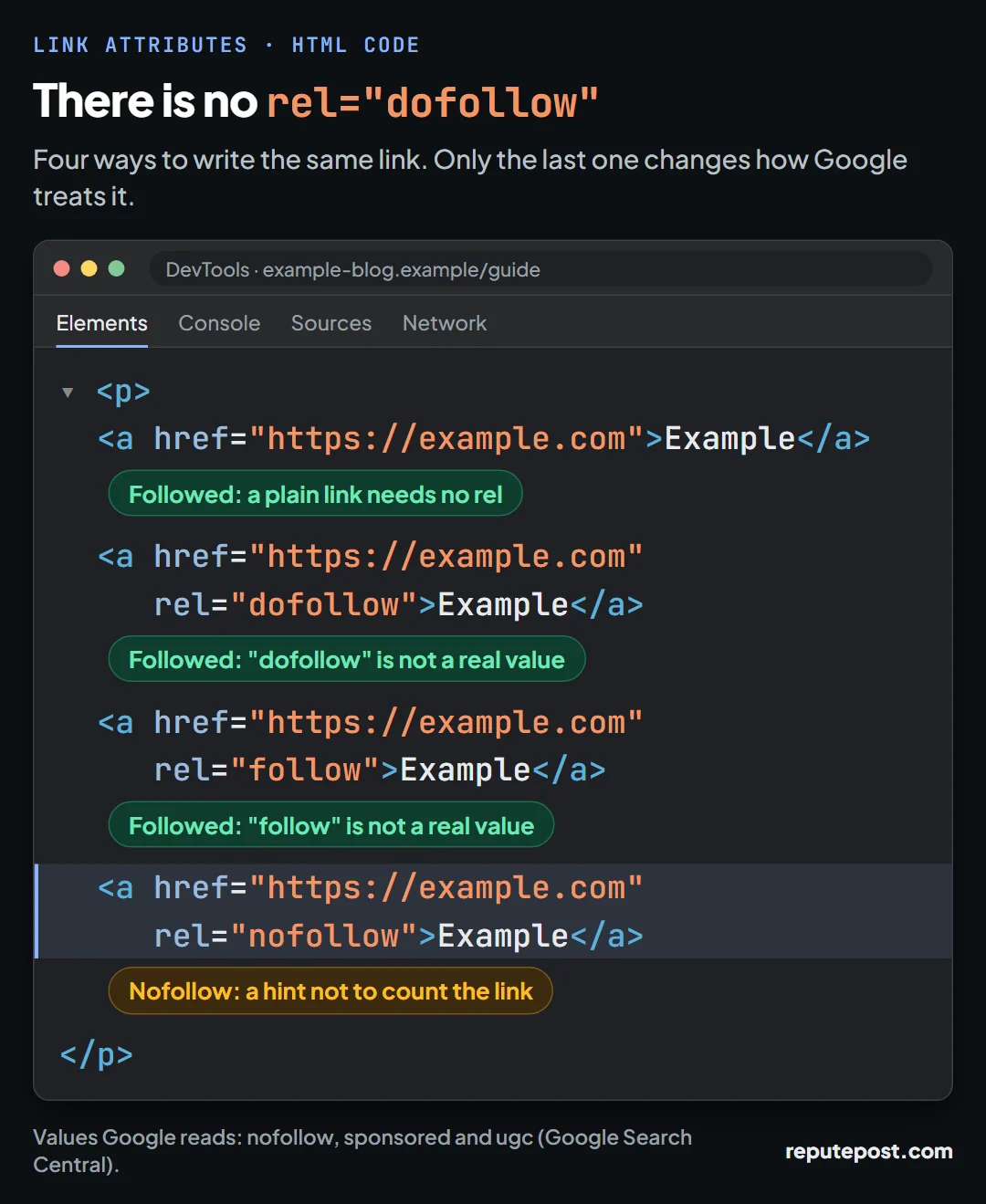
Four versions of the same link, as a browser's Elements panel shows them. Writing rel="dofollow" or rel="follow" changes nothing; rel="nofollow" does.
The word "follow" comes from the robots meta tag, which sets rules for a whole page rather than one link. A page-level nofollow tells Google not to follow any link on that page:
<meta name="robots" content="nofollow">Plenty of sites write content="index, follow", but that only repeats the default. Google's robots meta tag rules include nofollow ("Do not follow the links on this page") and no follow rule, because following links is what happens when you say nothing. Inside the rel attribute of a single link, follow means nothing at all.
Big sites still use the made-up values. When we checked on 13 November 2026, Medium's own tag links carried rel="noopener follow". The follow part does nothing there, and those links would be followed without it.
The three rel values Google reads: nofollow, sponsored and ugc
Link attributes, also called backlink attributes or rel attributes, describe the link, not the kind of link it is. A guest post, a forum reply or a directory listing can carry any of them, so a nofollow link isn't a separate backlink type. Nofollow dates from 2005. Google added sponsored and ugc in 2019, and each of the three tells Google something different about why a link is there.
rel="nofollow": a link you don't vouch for
<a href="https://example.com/" rel="nofollow">anchor text</a>What it tells Google: you'd rather Google not associate your site with the linked page, or crawl that page from yours.
When to use it: when sponsored and ugc don't fit and you don't want to endorse the page.
Example: a post warning readers about a scam site, which links to the site so they can recognise it.
Don't use nofollow to keep Google away from pages on your own site, such as a login or cart page. For links within your own site, Google's guidance is a robots.txt disallow rule instead.
rel="sponsored": ads and paid placements
<a href="https://example.com/product" rel="sponsored">anchor text</a>What it tells Google: the link is an advertisement or a paid placement.
When to use it: ads, sponsorships, affiliate links and any link that exists because of a payment, a free product or another deal.
Example: an affiliate link in a product review, or the link in a sponsored post.
Sponsored is the value Google prefers for paid links, which is why paid placements are often called sponsored backlinks. Nofollow, which Google recommended for them before 2019, is still accepted.
rel="ugc": links your users add
<a href="https://example.com/" rel="ugc">anchor text</a>What is the UGC link attribute? It's rel="ugc", the value Google recommends for links inside user-generated content such as comments and forum posts. UGC stands for user-generated content, and that's the UGC link meaning in full: someone other than the site owner put the link there. So what are UGC links in practice? Links in blog comments, forum threads, community answers and user profiles.
What it tells Google: a user added this link, not the site.
When to use it: comments, forum posts, reviews, profiles and any other place where visitors can post links.
Example: WordPress adds the ugc attribute for you. Since version 5.3, links typed in a comment get
rel="nofollow ugc", and the comment author's website link gets ugc as well.
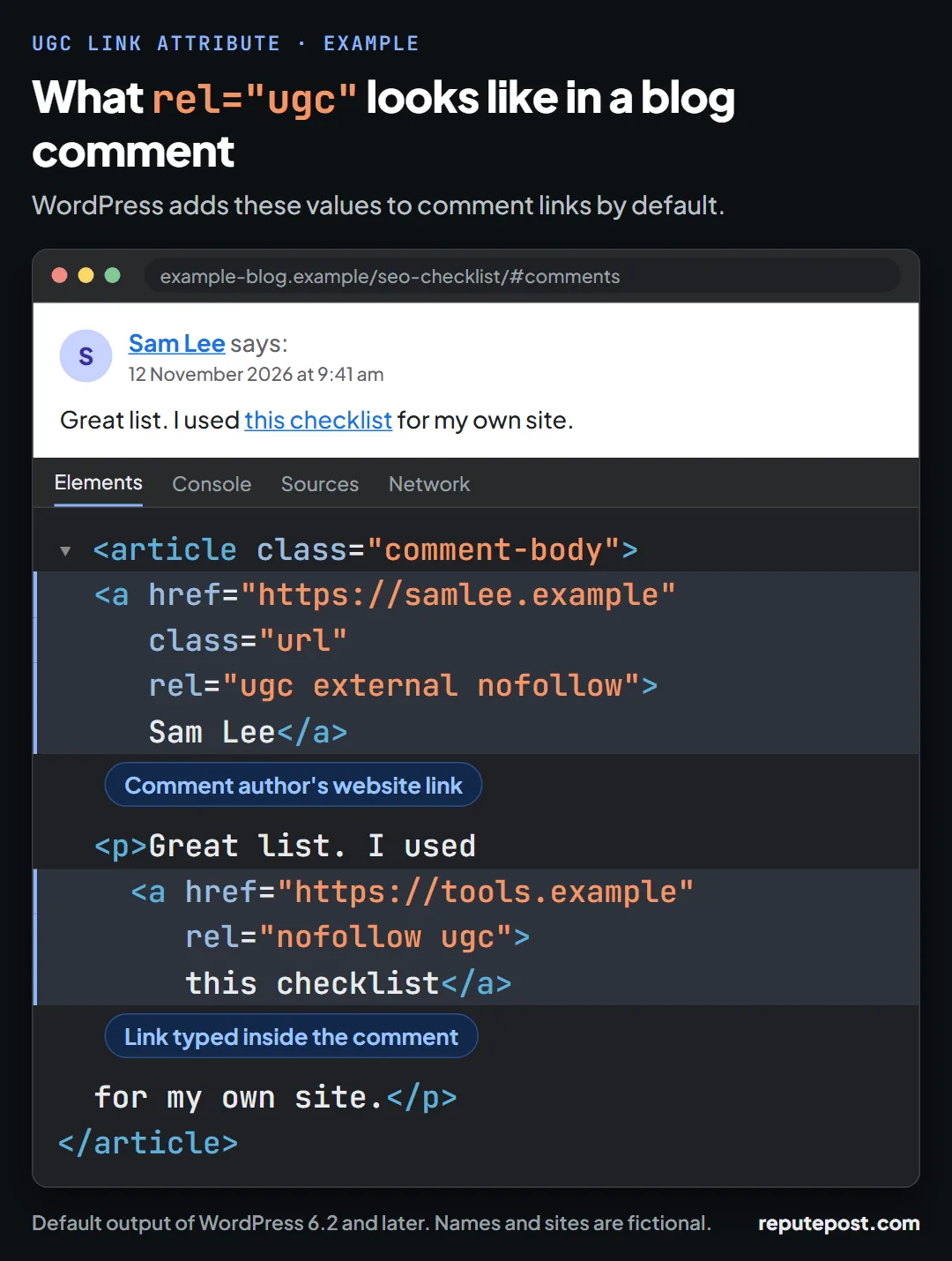
A UGC link attribute example: WordPress adds ugc and nofollow to the comment author's link and to links typed inside the comment.
Google also allows the opposite: "If you want to recognize and reward trustworthy contributors, you might remove this attribute from links posted by members or users who have consistently made high-quality contributions over time."
Do UGC backlinks help SEO? Not much on their own. A UGC backlink is a hint that Google generally leaves out of ranking, the same way it treats nofollow. The value is the visit: a useful answer on a busy forum can send readers, and some of them may later link to you from their own sites. Posting links mainly to get backlinks is a different story, because Google's spam policies list "forum comments with optimized links in the post or signature" as link spam. If you leave a comment backlink, make it a comment the site would keep without the link.
Combining rel values: rel="sponsored nofollow", rel="ugc nofollow" and more
One rel attribute can hold several values. Google reads them separated by spaces or commas. Spaces are the standard form: the HTML standard defines rel as an unordered set of space-separated keywords, so the order doesn't matter either.
<!-- Paid link, also clear to services that only read nofollow -->
<a href="https://example.com/" rel="sponsored nofollow">anchor text</a>

<!-- Link in a comment or forum post -->
<a href="https://example.com/" rel="ugc nofollow">anchor text</a>

<!-- A user-posted link that was also paid for -->
<a href="https://example.com/" rel="ugc sponsored">anchor text</a>

<!-- Paid link that opens in a new tab -->
<a href="https://example.com/" target="_blank" rel="sponsored noopener">anchor text</a>
Google's 2019 announcement explains the pairs. It calls rel="ugc sponsored" "a perfectly valid attribute", and says adding nofollow to the new values, as in rel="nofollow ugc", keeps a link "backwards-compatible with services that don't support the new attributes". That is the reason for values like ugc nofollow and sponsored nofollow.
What real sites put in rel (checked 13 November 2026)
We opened public pages while signed out and read the rel value on outbound links in the parts users write. Only some platforms use ugc, and the ones that do keep nofollow next to it. The others use nofollow without ugc.
Platform | Where the link sits | rel value |
|---|---|---|
Links in posts |
| |
Links in a subreddit wiki |
| |
Medium | Links inside an article |
|
Wikipedia | External links in an article |
|
Stack Overflow | Links in answers |
|
GitHub | README links to other sites |
|
Hacker News | Links in comments |
|
WordPress (default code) | Comment author's website |
|
WordPress (default code) | Links typed inside a comment |
|
Two things stand out. On the Stack Overflow page, some answer links had nofollow and others didn't, so a site can qualify links differently within one page. And most of these values have nothing to do with search: external is an HTML value meaning the page is on another site, mw:ExtLink is Wikipedia's own label, and noopener and noreferrer are browser instructions. Of everything in the table, only nofollow and ugc are values Google uses to qualify a link.
noopener and noreferrer: browser values, not SEO signals
noopener and noreferrer often sit in the same rel attribute as nofollow, which is why they get mixed up. Both are HTML link types that tell the browser what to do. Neither tells Google anything about the link.
<a href="https://example.com/" target="_blank" rel="noopener noreferrer">anchor text</a>noopener stops the page that opens in a new tab from reaching back to your page through window.opener. Current browsers already treat target="_blank" links this way, so it's a safety net for older ones.
noreferrer does the same and also leaves out the Referer header, so the site you link to can't see which page sent the visit unless the link carries tracking parameters.
A link with only rel="noopener noreferrer" is still a followed link. If it should also be nofollow, sponsored or ugc, add that value: rel="sponsored noopener noreferrer". Leave noreferrer off links where a partner expects to see your site in its referral reports.
How Google treats nofollow, sponsored and ugc since 2019
18 January 2005: Google introduces the nofollow attribute to fight comment spam. Its announcement says links with the attribute "won't get any credit when we rank websites in our search results".
10 September 2019: in "Evolving nofollow", Google adds sponsored and ugc and says all three values "are treated as hints about which links to consider or exclude within Search". For ranking, this applies from that day.
1 March 2020: nofollow also becomes a hint for crawling and indexing.
"Hint" is easy to misread as "now counts". The same announcement says the opposite for most links: "In most cases, the move to a hint model won't change the nature of how we treat such links. We'll generally treat them as we did with nofollow before and not consider them for ranking purposes." The change gives Google the option to use a link, not a promise that it will. Google's reason is that links carry useful information, such as "how the words within links describe content they point at", and looking at all of them helps it spot unnatural linking patterns.
Two practical points follow. Nofollow won't hide a page: Google notes that linked pages "may be found through other means, such as sitemaps or links from other sites", so use a noindex rule to keep a page out of search results. And old nofollow links can stay as they are, since Google says "There's absolutely no need to change any nofollow links that you already have."
Are nofollow backlinks worth it? For rankings, rarely on their own. A followed link can pass ranking credit, also called link equity or SEO link juice, while Google generally doesn't count a nofollow one. Do nofollow links help SEO in other ways? Indirectly, yes: people still click them, so a nofollow link on a busy page can send referral traffic, and some of those visitors may link to you from their own sites. There is no ratio of followed to nofollow links you need to hit, and Google publishes none. Most sites end up with a mix anyway, because big platforms like the ones in the table above add nofollow to most links their users post.
What happens if you use the wrong attribute? Usually very little. Google's answer is that "There's no wrong attribute except in the case of sponsored links." Marking a normal link as ugc or sponsored at most means Google might not count it for the page you link to. The mistake that matters goes the other way: a paid link with no sponsored or nofollow value.
Paid links and rel="sponsored": what Google's policy says
Google's spam policies list "buying or selling links for ranking purposes" as link spam, and the same section says: "It's not a violation of our policies to have such links as long as they are qualified with a rel="nofollow" or rel="sponsored" attribute value to the <a> tag." That covers ads, sponsored posts, affiliate links and links given in return for a product or service.
ReputePost is a link building platform with four offers: a guest post marketplace, niche edits, SaaS backlinks and white label link building for agencies. When you browse sites on ReputePost, each listing shows the link types its publisher allows, and an order placed with the sponsored type is marked rel="sponsored". The other three are done for you:
A niche edit from ReputePost places your link inside an existing, indexed article, from $89 for DR30+ sites to $499 for DR80+. Organic traffic, spam score, referring domains and content quality are checked before a placement is chosen.
SaaS link building from ReputePost works across 11,000+ SaaS and service websites.
With white label link building from ReputePost, agencies approve each site before anything is placed, reports list every placement URL with its DR, traffic and anchor text under the agency's own branding, and a link that a publisher later removes is replaced.
Whichever route you take, open each placement once it's live and read its rel value, so you know exactly how the link is marked.
Which rel value should you use?
Work through these questions in order and stop at the first yes. They follow Google's guidance on outbound links, so they double as rel nofollow best practices.
Was the link paid for, or given in return for something? Use
rel="sponsored", orrel="sponsored nofollow"if you want services that only read nofollow to see it too.Did a user or visitor add it? Use
rel="ugc", usually asrel="ugc nofollow". You can drop it for contributors you trust.Is it a page you don't want to vouch for? Use
rel="nofollow".Is it a page on your own site that Google should skip? Don't use nofollow. Block crawling with a robots.txt disallow rule, or allow crawling and add noindex to keep the page out of search results.
None of these? Leave rel off. A plain link is the right code for a source you cite, a tool you recommend or an editorial link you choose to give.
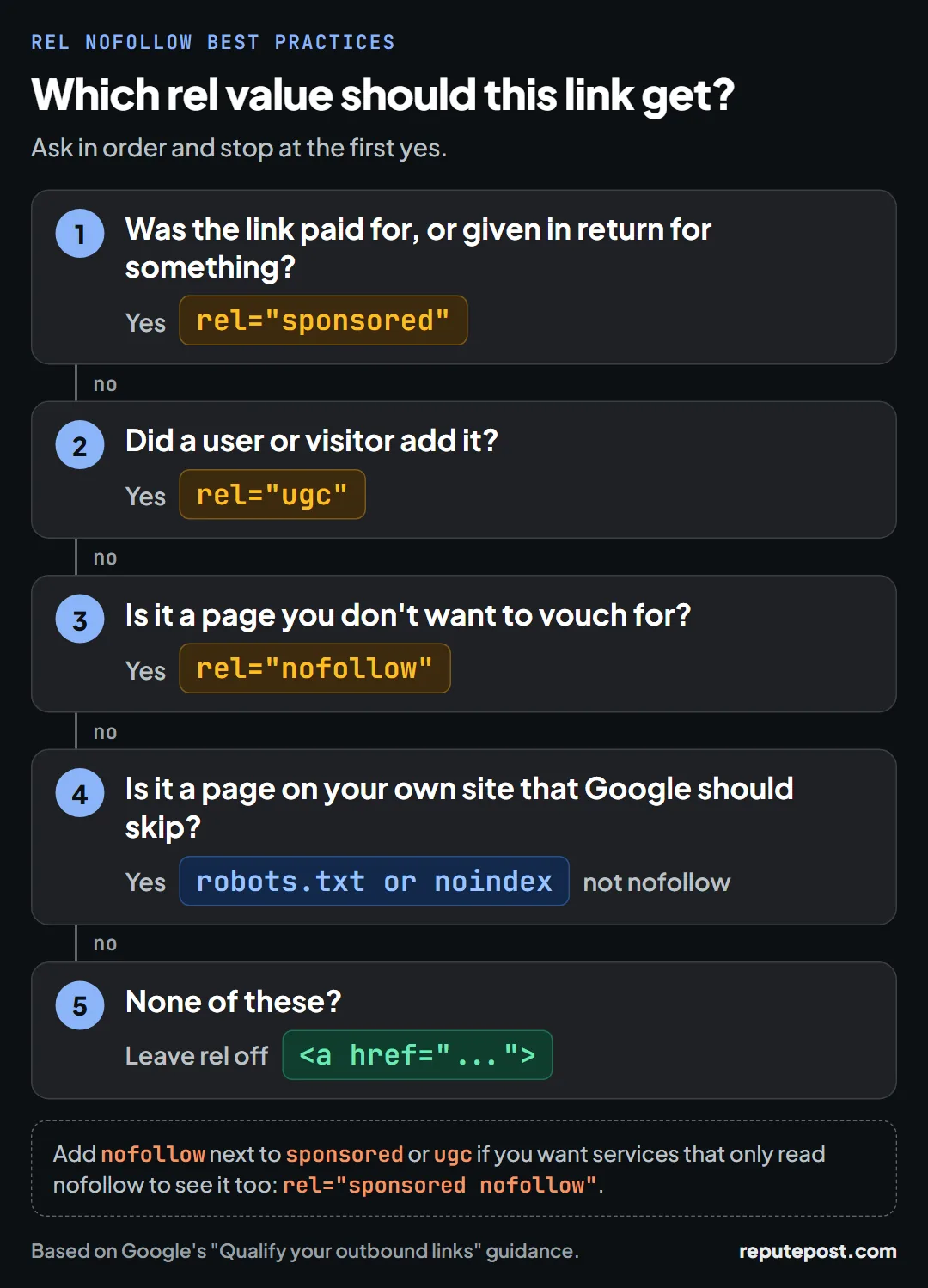
Which rel value to use, in the order Google's guidance suggests. Stop at the first yes.
To see the value on any link, right-click it, choose Inspect and read the rel attribute in the highlighted <a> tag. Checking every link that points to your own site is a bigger job, which is where the last of these four methods, a backlink checker, comes in.
Quick reference: link attributes and their HTML
Copy the code from the last column and replace URL with the page you link to. Each value was checked against Google Search Central and the HTML standard on 13 November 2026.
Attribute | What it means | When to use it | HTML |
|---|---|---|---|
No rel | A normal, followed link | Sources you cite, tools you recommend, editorial links |
|
| Don't associate my site with this page | Links you don't vouch for, when sponsored and ugc don't fit |
|
| An ad or a paid placement | Ads, sponsored posts, affiliate links, links given for a product or service |
|
| A user added this link | Comments, forum posts, reviews, profiles |
|
| Paid, and clear to services that only read nofollow | Paid links, when you also want services that only read nofollow to see it |
|
| Added by a user, backwards-compatible | Comment and forum links (WordPress writes it as nofollow ugc) |
|
| Browser instructions only, no SEO effect | Links that open in a new tab; add another value if one applies |
|
| Nothing: neither is a real value | Never needed; leave rel off instead |
|
Related articles
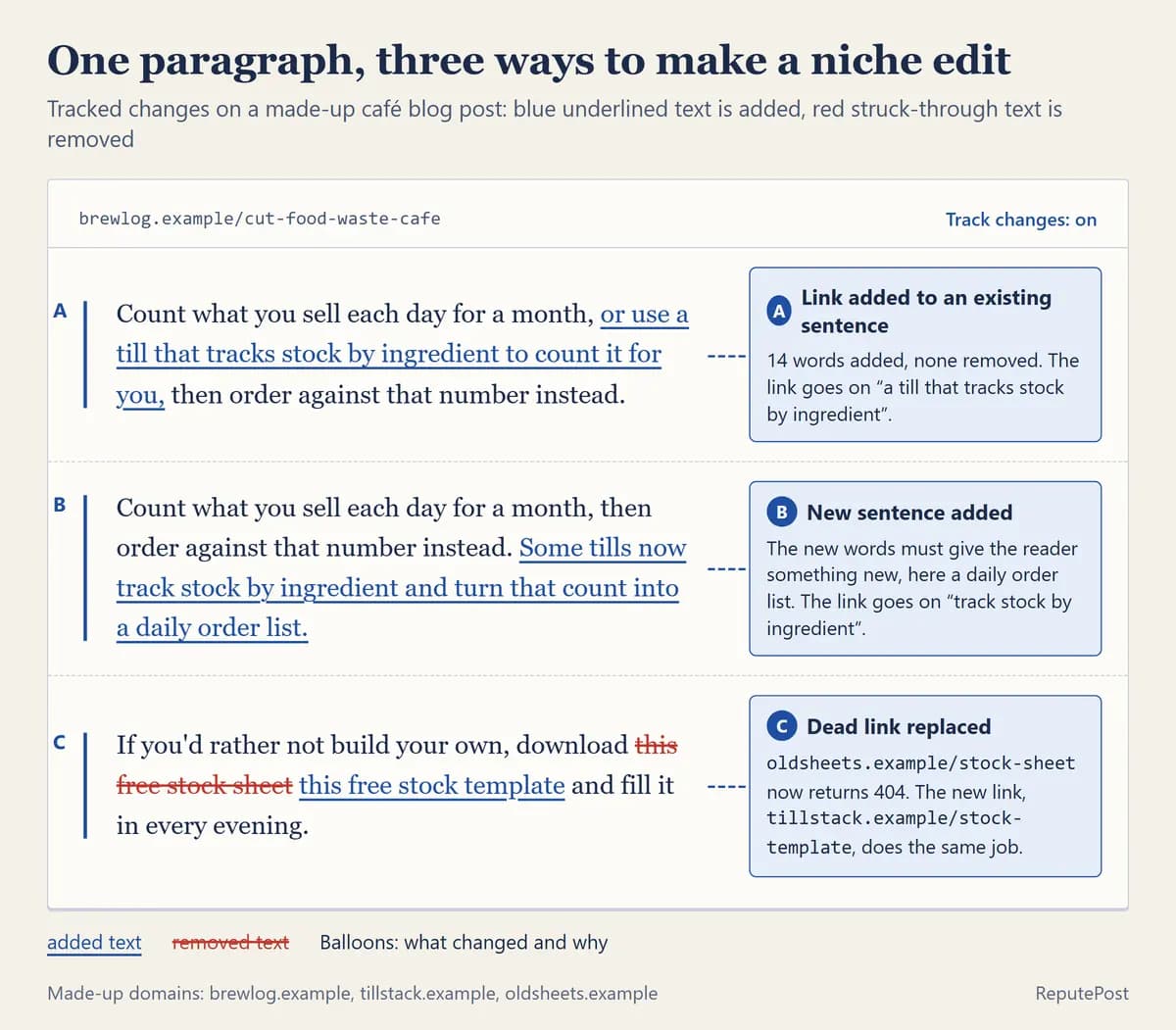
What Are Niche Edits? How Link Insertions Work in SEO
A niche edit adds your link to an article that already ranks. See one edit before and after, the six stages it goes through, how it compares with a guest post, and the page checks to run first.
15 min read
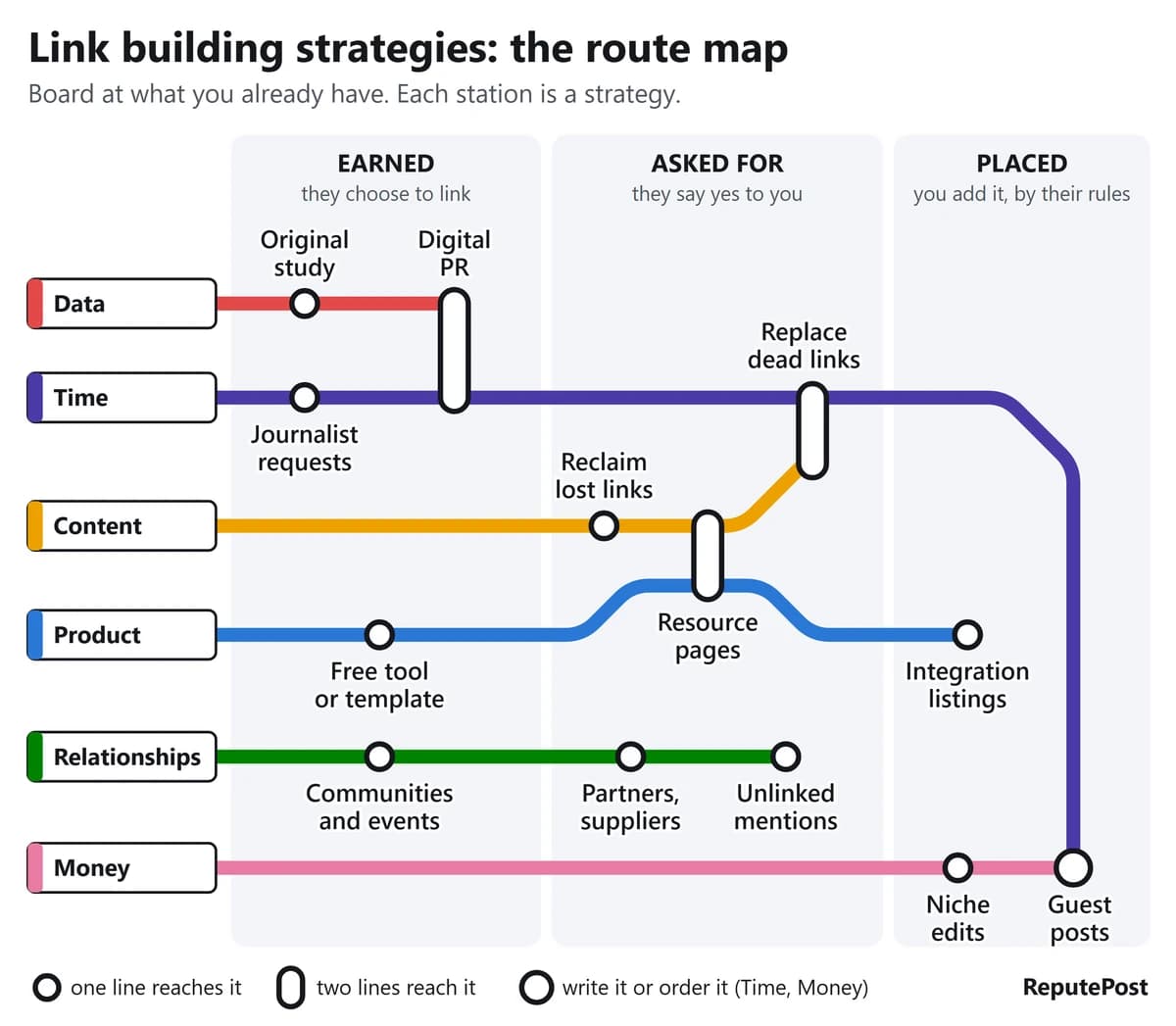
Link Building Strategies That Work in 2026: Start With What You Already Have
Data, a product, relationships, content, time or money: 13 link building strategies sorted by what you already have, with hours, first steps and a 12-week example plan.
16 min read
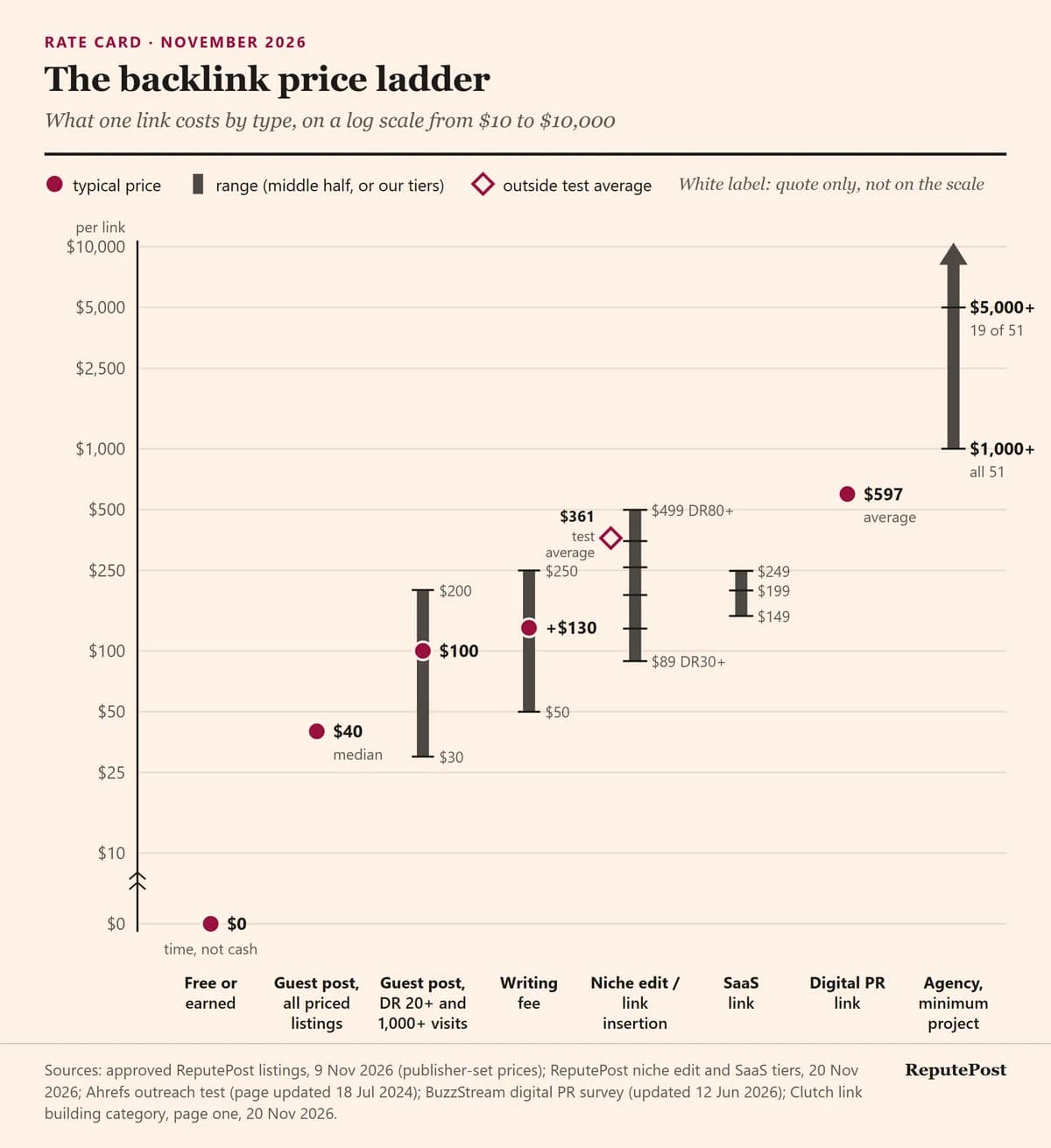
How Much Do Backlinks Cost? Prices by Link Type in 2026
Most backlinks cost $0 to about $600 in November 2026. Our 15,812 listings show traffic, not DR, sets a guest post's price. Rate card, budgets and checks.
15 min read