
What Are Niche Edits? How Link Insertions Work in SEO
A niche edit adds your link to an article that already ranks. See one edit before and after, the six stages it goes through, how it compares with a guest post, and the page checks to run first.
Hamza Haroon
· 16 min read
What are niche edits? They are links added to articles that are already published, indexed and getting visits, by asking the site owner to edit the existing page instead of publishing a new post for you.
Here is one, on a made-up café blog (brewlog.example) linking to a made-up till software company (tillstack.example). The paragraph comes from an article about cutting food waste that has been live since 2024.
Before
Most of the waste we see in small cafés starts with guesswork. If you order milk and pastries by feel, some of it goes in the bin every week. Count what you sell each day for a month, then order against that number instead.
After (the added words are in italics)
Most of the waste we see in small cafés starts with guesswork. If you order milk and pastries by feel, some of it goes in the bin every week. Count what you sell each day for a month, or use a till that tracks stock by ingredient to count it for you, then order against that number instead.
In the page's HTML, the only new code is the link itself:
Count what you sell each day for a month, or use
<a href="https://tillstack.example/inventory">a till that tracks stock by ingredient</a>
to count it for you, then order against that number instead.
That is the whole change: 14 words and one link, in a sentence that was already about counting stock. Nothing else on the page moved. The link now sits on a page that has been crawled, read and linked to for two years, and that is the reason anyone does a niche edit. The rest of this post follows that one edit from start to finish, then covers what it compares with and the checks to run before any link goes on a page.
How link insertion works in SEO: the six stages of one niche edit
Whether you win the link through your own outreach or through a service, it passes through the same six stages. Niche edit link building is mostly stages 1 and 3: finding pages and asking for the change. Stages 2, 5 and 6 are the ones that protect you. If you want to know how to build niche edits yourself, this is the order to work in.
1. Find the page
Start from your own page, not from a list of sites. Write down the question your page answers, then look for articles that rank for a topic one step away from it. A food waste article is one step from stock software. A "best espresso machines" list is two steps away and would need a forced sentence. Look in three places: Google results for the topics next to yours, the top pages of relevant sites in Ahrefs or Semrush, and the pages that link to similar pages on your competitors' sites. Those owners have already shown they link out on your topic.
2. Check the page
Before anyone writes an email, check the page itself, not just the site. The six page checks are set out in full further down: indexing, the page's own traffic and links, outbound links, relevance, age and edit history. When our team picks pages for niche edits, it checks organic traffic, spam score, referring domains and content quality first, and a site that fails a check is dropped.
3. Agree the change with the site owner
Send the owner everything they need to say yes in one reply: the page URL, the sentence you'd like to change (quoted), the new words, the link target and the anchor text. If you can, offer two versions: one that edits an existing sentence and one that adds a new one. Owners often rewrite your words to match their own voice. Let them, as long as the link still makes sense. If money changes hands, the rel value on the link is part of the agreement too (Google's rule is quoted further down).
4. Make the edit
The site owner or their editor makes the change in their own CMS. A good edit keeps the paragraph's meaning, adds a clause or a sentence rather than rewriting the section, and uses an anchor that describes the page it points to. Google's link best practices say good anchor text "is descriptive, reasonably concise, and relevant to the page that it's on and to the page it links to." In the café example the anchor is "a till that tracks stock by ingredient", not "best POS software".
5. Verify it's live
Open the page and look at the code, not just the words: right-click the link and choose Inspect. Check four things.
- The link is a normal
<a href="...">tag pointing at the exact URL you agreed. The same Google page says "Google can only crawl your link if it's an <a> HTML element (also known as anchor element) with an href attribute." - The rel value is the one you agreed, because which rel value a link carries changes how Google treats it.
- The page has no
noindexrobots tag, and its canonical tag points to itself. - The page still loads normally (status 200) at the same URL.
Then ask the site owner to request a recrawl with the URL Inspection tool in their Search Console. You can't do it for them. Google's page on asking for a recrawl says "You can't request indexing for URLs that you don't manage", and that crawling "can take anywhere from a few days to a few weeks". When we deliver niche edits, an order is marked complete only after every link in it has been checked live.
6. Monitor it
Links get removed when a site changes hands, a post is rewritten or an editor clears out old outbound links. Re-check the page a month after the link goes live, then every quarter. Is the link still there with the same rel value? Is the page still indexed, and does it still get traffic? Once Google has recrawled the page, the linking site should also start to appear in the Links report of your own Search Console. If you'd rather hand all six stages to someone else, you can order niche edits from us. We find and check the page, place the link within 2 to 14 days, check it live and replace it free if it's ever removed.
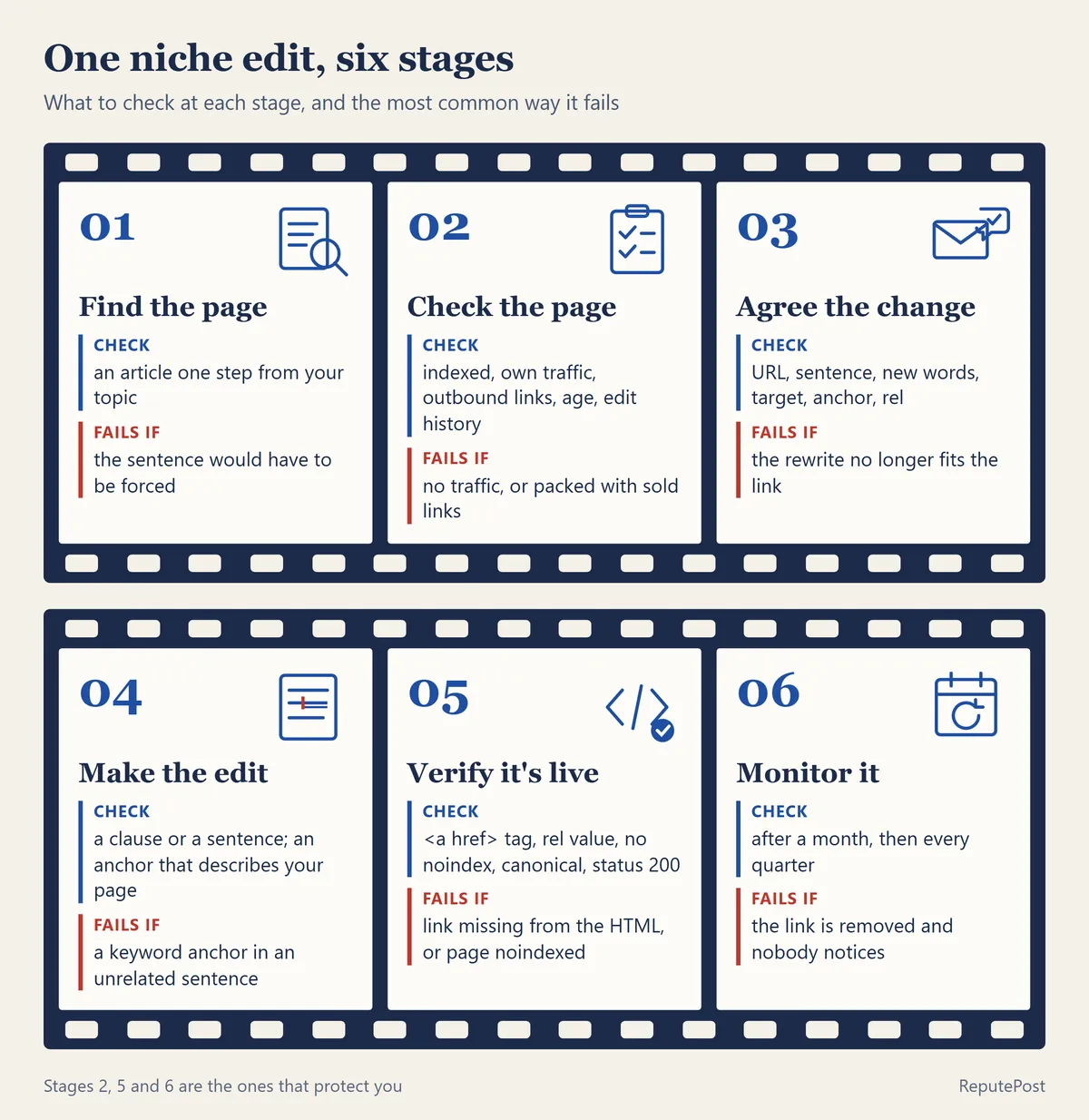
The six stages one niche edit goes through, with what to check at each and the most common way it fails. Stages 2, 5 and 6 are the ones that protect you.
Niche edit, link insertion, curated link: what each name means
Whether you search "what is niche edits", "what is a niche edit" or "what is link insertion", the answer is the same practice. The names differ only in what they stress.
Niche edit meaning: "niche" because the page sits in your topic area, "edit" because an existing page is changed instead of a new one being written. So what are niche edit links? Simply the links that result, also called niche edit backlinks.
What is link insertion? It's the same thing, named after the action: a link inserted into content that already exists. Link insertion in SEO means exactly what niche edit means, so link insertion SEO advice and niche edit SEO advice are the same advice, and "link insertion or niche edits" is not a choice between two products. On the ReputePost marketplace, for example, buyers pick the exact site and then order either a new guest post or a link insertion on it.
Contextual link insertion stresses where the link sits: inside a sentence in the body text, where the words around it explain it, rather than in a sidebar, a footer or an author box.
Curated links is the vaguest name. Some SEO sellers use it for niche edits, but when we searched for the phrase on 20 November 2026, the results were mostly link newsletters and personal reading lists. If you see it on an offer, ask exactly what will be placed, and where.
Three ways a niche edit is made
The café edit above is the lightest kind. There are two others, and they suit different pages.
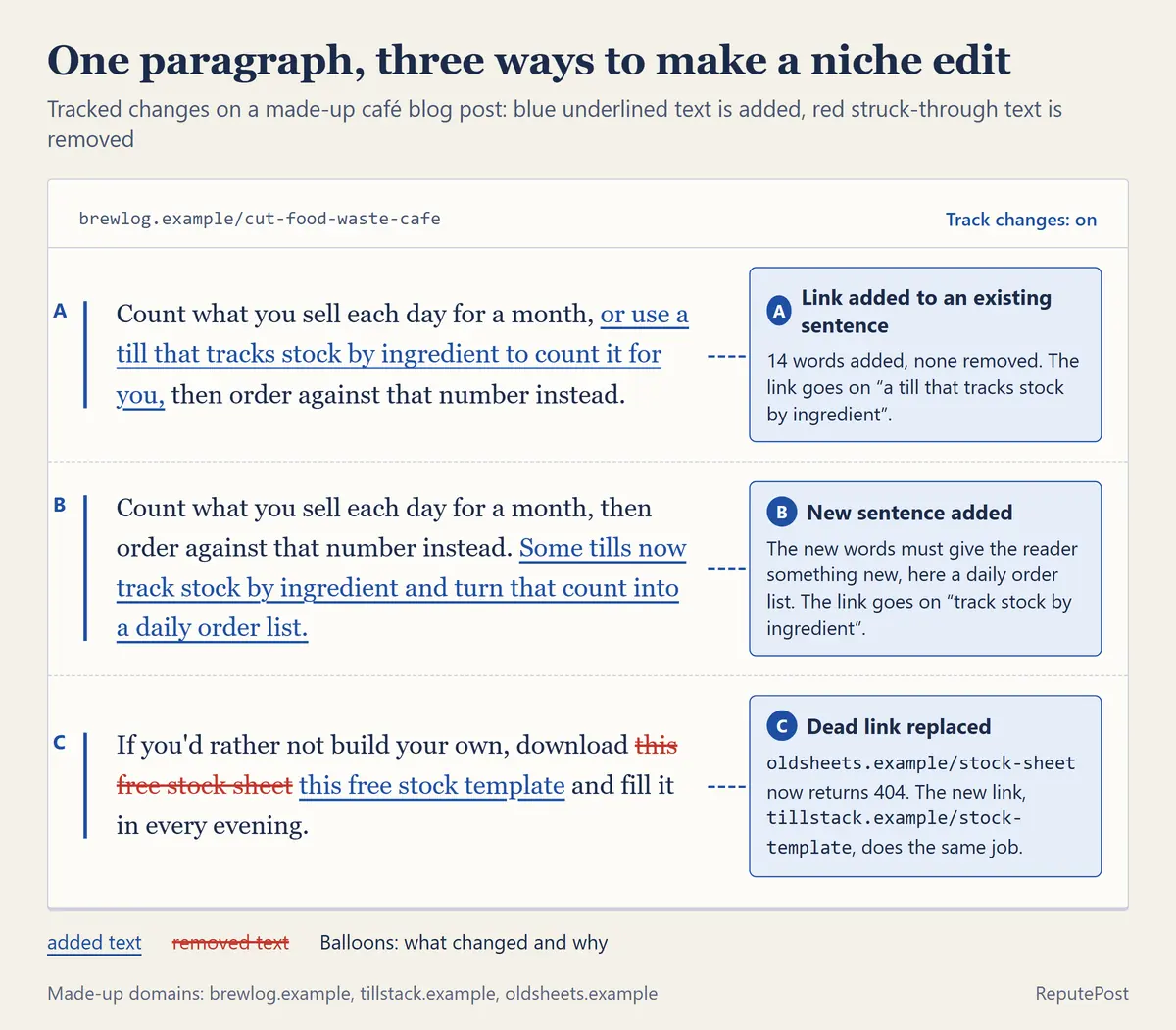
The same made-up café paragraph edited three ways, shown as tracked changes: blue underlined text is added, red struck-through text is removed, and each balloon says what changed.
Adding the link to a sentence that's already there
The sentence already mentions the thing your page covers, so the edit adds a few words and puts the link on them. It changes the least and reads the most naturally, which makes it the easiest change to ask for. It only works when the sentence really is about your topic. If the anchor has to be bent to fit, use the next option.
Adding a new sentence or a short paragraph
When no existing sentence fits, a new one goes in where the article leads towards your topic. The new words have to give the reader something they didn't have, such as a tip, a figure or a step, or the edit will look like what it is. Site owners often ask the buyer, or whoever places the link, to write this part. When we place niche edits, our writers add that paragraph when it's needed and match the host article's tone and topic.
Replacing a link that no longer works
The article links to a guide, tool or study that has gone: the page returns a 404 error or redirects somewhere unrelated. You point out the dead link and offer your page as a replacement that does the same job. The owner gets a fix, readers get a working link, and your link lands in a sentence that was written to hold one. This is the niche edit form of broken link building. To find pages that link to dead resources, start from the dead page and work back to the sites that link to it.
Niche edits vs guest posts: how to choose
A guest post is a new article that you (or a writer) produce and the host publishes, with your link in it. A niche edit changes an article that already exists. When people compare niche edit links vs guest posts, that one difference decides most of the rest. A guest post's page starts with no history and only the internal links the host gives it. A niche edit's page brings the rankings, traffic and links it already has. In return, a guest post lets you choose the topic and every sentence around the link, while a niche edit gives you one sentence in someone else's article. Guest posts also ask more of you up front: a guest post on another site means a pitch, a full article and an editor's sign-off.
So the link insertion vs guest post question usually comes down to whether a page already exists that should link to you. Here is how to choose between niche edits and guest posts for any one page you want to rank.
Choose a niche edit when:
- an article already ranks for a topic one step from yours, and your page answers a question it raises;
- the page you want to rank is a product, category or tool page that would be hard to pitch as a guest post topic;
- the site doesn't take guest posts, or its guest posts sit in a section with few internal links.
Choose a guest post when:
- no existing article covers your angle closely enough for a natural sentence;
- you want to explain something at length, with your brand or an author name on it;
- you need control over the topic and the paragraph around the link, for example to introduce a guide that needs some setting up.
Guest posts vs niche edits isn't an either-or for most sites, and most link profiles end up with both. In our 130-day case study, the new site got guest posts on 15 sites first, then 41 niche edits. Niche edits vs outreach is another pairing people search for, but those two aren't alternatives either. Outreach is one way to get a niche edit: you email site owners and ask. The other way is to buy the edit through a service or marketplace that already works with the site owners. That campaign used both.
Do niche edits work in SEO?
Yes, when the page is one Google already values and the link reads as part of the article. A link added to a page with no traffic, no links of its own and a long list of unrelated outbound links does very little.
The benefits of niche edits in SEO all come from the host page. A page passes value through its links, and a page that already ranks, is crawled often and has links pointing at it has more to pass than a page published yesterday. For niche edits, SEO value depends on the page the link sits on far more than on the technique.
We sell niche edits, so here is the evidence rather than our opinion. For a new site we took to the top five in 130 days, we placed 41 niche edits in existing, indexed articles in October and November 2023, some through our own outreach and the rest through ReputePost. They were the biggest single batch of links in the campaign. By the end of November the site had reached DR 31 but still got only about five clicks a day from Google. The ranking jump came in December, after 12 editorial placements went live on top. Our reading is that the niche edits built the authority, and the site needed more before traffic followed. One campaign isn't a study, so treat it as an example, not a promise.
What makes a niche edit count: the page ranks for searches close to your topic and gets search traffic of its own. Other sites link to it, and its own site links to it, so it isn't buried. Your link sits in the body text, with an anchor that describes your page.
What makes it count for little: a page nobody visits, a post with dozens of outbound links to unrelated businesses, a site that will place a link on any topic, or a keyword anchor squeezed into a sentence about something else.
The risk Google names. Google's spam policies list "buying or selling links for ranking purposes" as link spam, including "exchanging money for links, or posts that contain links". The same section says such links are allowed "as long as they are qualified with a rel="nofollow" or rel="sponsored" attribute value to the <a> tag." So a paid niche edit without one of those values is link spam by Google's definition, exactly like a paid guest post. Whether a niche edit is white hat depends on how the link got there, not on the technique. A site owner who adds your link because it helps readers has made an editorial choice; a link placed for a fee is a paid placement.
The practical risks. Links get removed, pages get deleted or redirected, and a site that sells links on any topic risks being demoted, which takes the value of every link on it down too.
Are niche edits worth it? On pages that pass the checks below, and in sentences where the link helps the reader, yes. As a volume play, no: twenty edits on pages that get no search traffic add risk without adding much value.
How to judge a page before a niche edit goes on it
DR and site-wide traffic describe the domain. A niche edit lives on one page, so check that page. These six checks need free tools plus one SEO tool for traffic estimates, and the cards below show them run on two made-up pages.
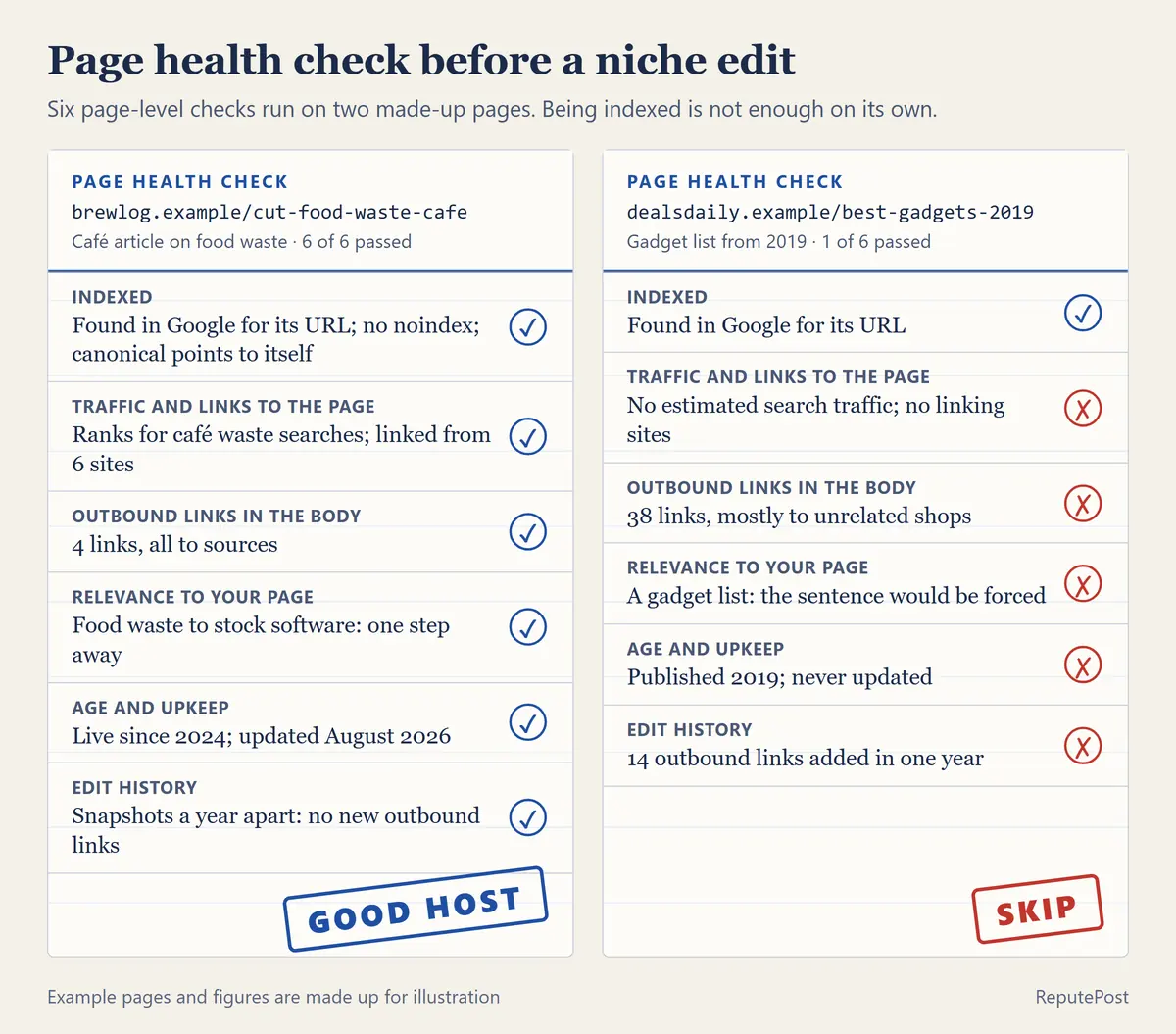
Two made-up pages run through the six checks. The café article passes all six; the 2019 gadget list is indexed but fails the other five.
- Is the page indexed? Search Google for the page's URL, or for a distinctive sentence from it in quotes. If it doesn't come up, Google may not be showing it at all. Then look in the page source for a
noindexrobots tag and for a canonical tag that points somewhere else. Either one means the page's links may not count the way you expect. - Does that page get traffic and links of its own? Site-wide traffic can hide a page that gets nothing. Ahrefs and Semrush estimate traffic per URL and show which searches the page ranks for and how many sites link to it. You want it ranking for something close to your topic. Traffic is also the first filter we apply to whole sites: by 17 November 2026 our marketplace had 17,073 sites live and had turned down 7,543, every one of them under 1,000 monthly organic visitors.
- How many outbound links does it carry, and to what? Count the links to other sites in the article body. A handful of links to sources is normal. Dozens of links to unrelated businesses, often with keyword anchors, usually mean the page has been sold many times, and yours would be one more.
- Is it relevant? A reader of this article should want your page. You can score relevance in four checks: the site's topic, the page's topic, the sentence and anchor, and whether the two sites share an audience.
- How old is it, and is it kept up? An article that has been live for a year or more, still ranks and shows a recent "updated" date is a good host. One about "the best tools of 2019" that nobody has touched since may be rewritten or deleted soon, and your link with it.
- What does its edit history show? Look the URL up in the Internet Archive's Wayback Machine (web.archive.org) and compare the live page with a snapshot from a year or so ago. If new outbound links have appeared in paragraphs that otherwise didn't change, other buyers have been there before you. One or two careful additions are fine. A page that gains a new commercial link every few months is not.
Three questions to ask before any niche edit
Before any niche edit, ours or anyone else's, ask three questions. First, would the sentence be better for the page's readers with your link in it? If the honest answer is "no, but it's a link", the edit is a placement rather than a recommendation, and it will read like one. Second, would you still want the link if the page lost half its traffic next year? That tells you whether you're getting the page's relevance or only its numbers. Third, what happens if the link disappears? Know who will check it, how often, and whether it will be replaced, before it goes live. A niche edit that passes all three is worth having, and one that fails the first is rarely worth fixing.
Related articles
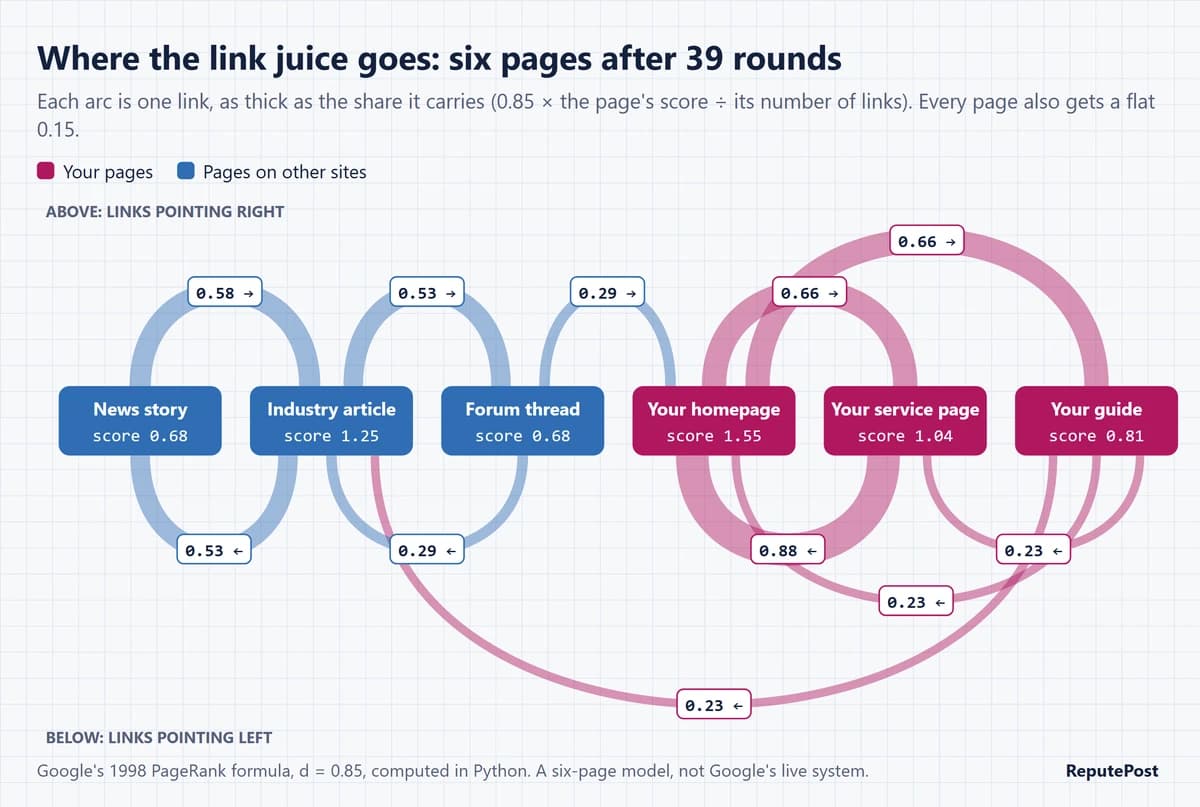
Link Juice in SEO: How Backlink Juice Flows
Six pages, Google's 1998 PageRank formula and 39 rounds in Python: where link juice flows, what nofollow, redirects and crowded pages do to it, and which links carry the most.
19 min read
How Much Do Backlinks Cost? Prices by Link Type in 2026
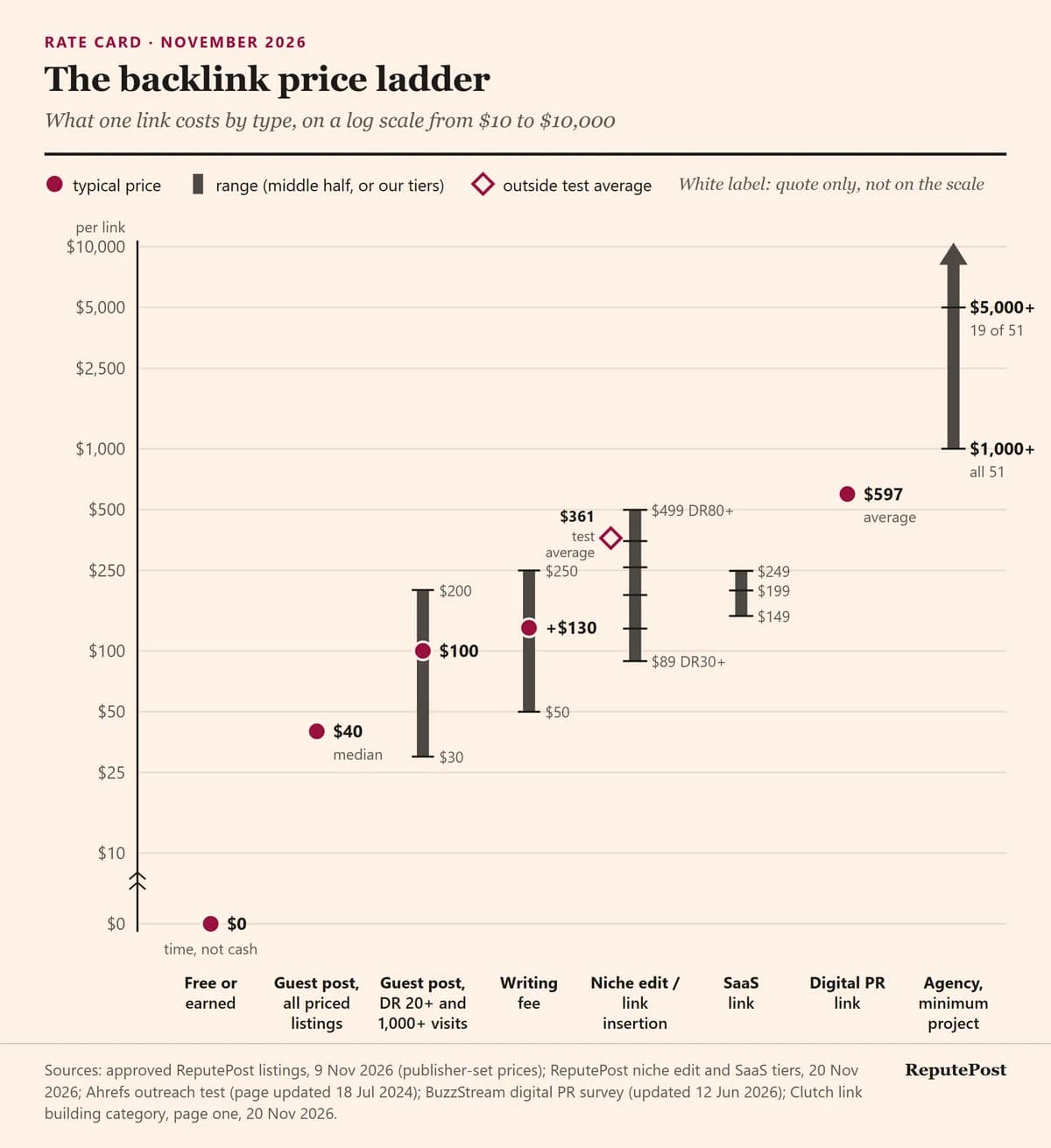
Most backlinks cost $0 to about $600 in November 2026. Our 15,812 listings show traffic, not DR, sets a guest post's price. Rate card, budgets and checks.
15 min read
Outsource Link Building: What Each Option Costs
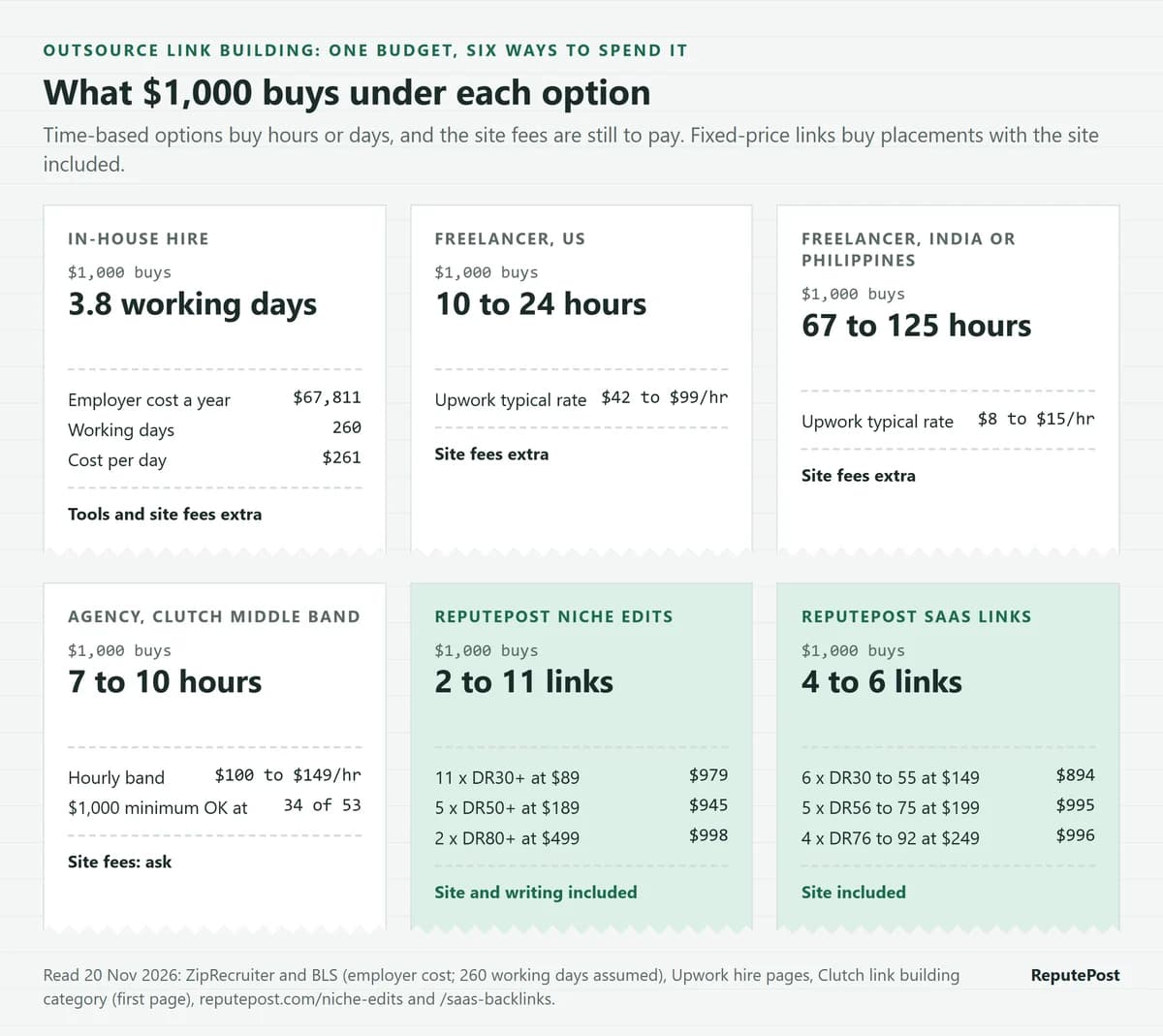
A US link builder costs about $67,800 a year with benefits; a niche edit costs $89 to $499. Compare five ways to outsource link building by cost per live link, then pick one, brief it and test it for 30 days.
18 min read