
Broken Link Building and Broken Backlinks: A Two-Track Playbook
After our September 2026 rebuild, links to old URLs landed on 404 pages. Here is how we fixed those broken backlinks, how broken link building wins new ones, and three email scripts.
Hamza Haroon
Updated · 18 min read
On 30 September 2026 we moved reputepost.com to a new build. A dozen old addresses didn't make the move, and one of them, a deleted blog post, still had links from two other sites. Until we added redirects in early November, both links landed on a 404 page. Those were broken backlinks on our own site, and the fix was one permanent redirect per old URL.
Broken link building is the same problem seen from the other side. You find dead pages on other people's sites and offer your page as the replacement. This playbook covers both tracks. Track A reclaims the broken backlinks pointing at your own site. It needs no outreach and usually pays back the most per hour. Track B is broken link building outreach, with three email scripts you can copy. Start with Track A, because a link someone already gave you is easier to keep than a new one is to win.
What is a broken backlink?
A broken backlink is a link from another website that points to a page on your site that no longer loads. The link is still there, but the URL it points to returns an error, usually 404 Not Found. A visitor who clicks it sees an error page, and the value the link carried stops reaching any page that ranks.
Broken links meaning, in one line: the link exists, its target doesn't. That is different from a lost backlink.
What is a lost backlink? It's a link that no longer exists at all. Either the linking page was deleted, or its owner edited the page and took your link out. Some backlink tools list both under one "lost" filter, but the fixes are different. You can repair a broken backlink yourself with a redirect. A lost backlink only comes back if the other site puts it back.
Broken link example
Here is what a broken link looks like in the HTML of the linking page, and what a browser gets when it follows it. The domain is made up:
<p>Before you publish, run through
<a href="https://example.com/blog/seo-checklist-2024">this SEO checklist</a>.</p>

GET https://example.com/blog/seo-checklist-2024
HTTP/1.1 404 Not Found
Nothing in the markup is wrong. The problem is on the other end: the page at that address was deleted or moved without a redirect. If example.com is your site, that's a broken backlink you can fix. If it's someone else's site, it's a broken link building opportunity.
Why backlinks break or go missing
These are the usual causes, and each one points to a different fix:
- A redesign, migration or technical change. URLs change and nobody maps the old ones. This is the most common cause on your own site, and it's what happened to ours.
- The page with your link was deleted. The other site pruned old posts or let a section expire.
- The owner removed your link on purpose. An editor decided it no longer fits. A site once linked to our white label page from an article about services in New York, then removed the link because we work worldwide, not only in New York.
- The whole website no longer exists. The domain expired or the business closed.
- A paid link was taken down. The placement was paid for a fixed term, or the payment never went through.
Cause 1 on your own site, or deleting one of your own pages, creates broken backlinks: that's Track A. Causes 2 to 5 happen on other sites and create lost backlinks. Only a polite email can bring those back, and causes 4 and 5 rarely come back at all.
When we re-checked the 111 backlinks in our Ahrefs export of 12 November 2026 the next day, 84 were live and 18 were gone. On 14 linking pages the article was still up but our link had been edited out, and 4 linking pages returned 404. The lost links weren't the weak ones either: 14 of the 18 came from sites with an Ahrefs DR of 70 or more. Two of the live links pointed at one of our deleted blog posts, which made them broken backlinks until our redirects went in. Links disappear quietly, so the ones you paid for or worked hard to earn are worth rechecking every month, not once a year.
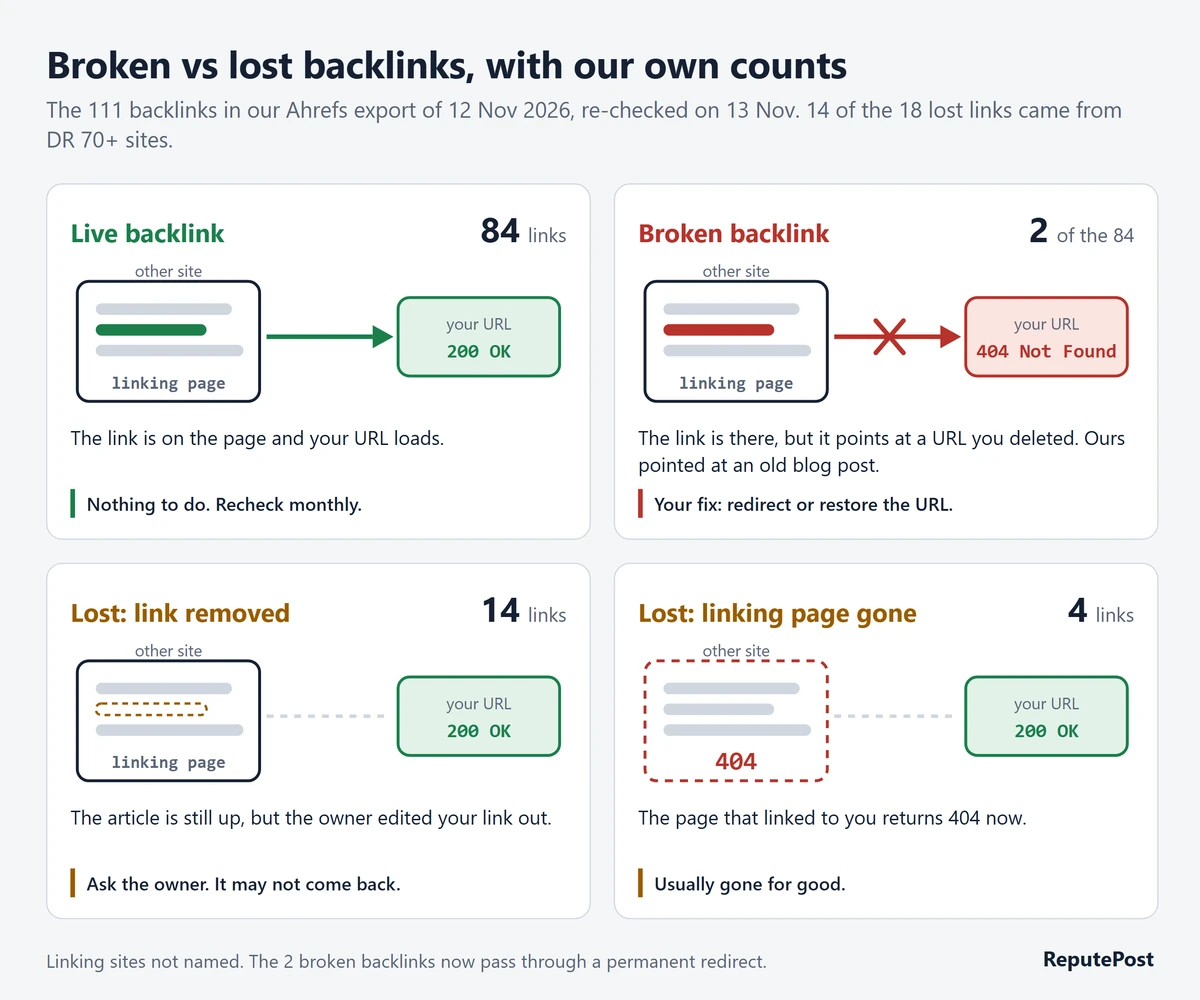
Four states a backlink can be in, with our own counts from re-checking the 111 links in our Ahrefs export of 12 November 2026. Only a broken backlink is fully in your hands; lost ones need the other site.
Do broken links affect SEO?
Not as a penalty. The cost of broken backlinks in SEO is the link value and the visitors you lose.
Google answered this directly in a 2011 Search Central post, Do 404s hurt my site?: "If some URLs on your site 404, this fact alone does not hurt you or count against you in Google's search results." A 404 is a normal part of the web, and a site with a few hundred of them is not treated as a worse site.
What does happen is quieter. Google's documentation on HTTP status codes says "URLs that are already indexed and return a 4xx status code are removed from the index." So the dead URL drops out of search, and every backlink pointing at it now points at a page Google no longer keeps. Since "Google uses links as a signal when determining the relevancy of pages", in the words of its link best practices, those links stop helping you. That is the whole broken links SEO cost: lost link value and lost clicks, not a ranking penalty.
Are broken backlinks bad for your website, then? Only in that sense. So are broken links bad for SEO? They waste what you earned, which is reason enough to fix the ones with links. Search Console's Page indexing report help sets the priority. It says "we recommend fixing only 404 errors that you link to yourself or list in a sitemap". It also says 404s "are not necessarily a problem, if the page has been removed without any replacement." We'd add one group to that list: old URLs that other sites still link to. Those are the ones worth a redirect.
Two related cases. Broken links inside your own pages, to dead pages elsewhere, are a reader problem first: people click them and hit a wall, so fix them when you update a post. And a deleted page should return a real 404 or a redirect, not a "page not found" message with a 200 status. Google calls that a soft 404 and asks for a real 404 code on pages that are truly gone.
Track A: reclaim broken backlinks pointing at your site
Here is how to find broken backlinks and fix them. For most sites it takes an afternoon, and the first four steps need no emails. You list the URLs that other sites link to, find the ones that no longer load, and send each one somewhere useful.
1. List the URLs other sites link to
A crawl of your own site can't find broken backlinks. A crawler starts from your homepage and follows your links, and the URLs you deleted are exactly the ones your site no longer links to. You need link data instead:
- Google Search Console: Links, then Top linked pages under External links. Export the full list. Google's Links report help notes that the report keeps links found over time, and that a linked "page may no longer exist". That's what you're looking for here.
- Bing Webmaster Tools: the Backlinks report lists the target URL on your site for each linking page.
- Ahrefs: the free plan for verified sites includes broken links data, and the paid Site Explorer has a Best by links report you can filter to 404 pages. Any broken backlink checker works from link data like this; none of them sees every link.
If you haven't exported a backlink list before, here is how to export your backlinks from Search Console and Bing, with screenshots of both. Put every target URL from every source into one column and remove duplicates.
2. Find the ones that return 404
Check the status code of every URL in that column. In Screaming Frog, switch to list mode (Mode, then List) and paste the URLs; the free version handles up to 500 and reports each response code. For a handful of URLs, the URL Inspection tool in Search Console gives the same answer. Keep every URL that returns 404 or 410, and any that redirect more than once.
Search Console also tells you which dead URLs Googlebot still requests. In Settings, open Crawl stats and click the Not found (404) row of the crawl responses table. Google's help says those errors "might be because of broken links within your site, or outside your site." That's where our problem showed up. In the 90 days before our audit of 30 October 2026, Googlebot made 244 requests that ended in a 404, 7% of all its requests to the site. The examples included three deleted blog posts, the old account and sign-in paths in two spellings, and a retired author page. The Page indexing report's Not found (404) list is the second place to look.
3. Decide: restore, redirect or let it go
Each dead URL needs one decision. Google's own documentation covers most cases:
| What happened to the old URL | What to do | Google's guidance |
|---|---|---|
| The page moved to a new address | Permanent redirect (301 or 308) to the new address | "If your page has moved, use a 301 redirect to the new location." |
| Its content was merged into another page | Permanent redirect to that page | Consolidated content can redirect "to that new, consolidated page" |
| Deleted, but a close match exists | Redirect to the closest match, never to the homepage by default | "Don't redirect many old URLs to one irrelevant single URL destination, such as the home page" |
| Deleted by mistake, and it had strong links | Restore the page at the same URL | The links work again with no redirect at all |
| Gone for good, nothing similar on the site | Let it return 404 or 410 | 404s are "not necessarily a problem, if the page has been removed without any replacement" |
| Another site links to a misspelt URL | Redirect the misspelt URL to the right page | Redirect it "and capture the intended traffic from that link" |
"Closest match" means a page a visitor who clicked the old link would accept as the answer. A deleted post about the strongest backlinks fits a live post on backlink types. It doesn't fit your pricing page.
4. Redirect, then test the old URL
Use a server-side permanent redirect: 301 or 308. Google's page on redirects and Google Search says both "mean that a page has permanently moved to a new location". Google uses them as a signal that the new address is the one to show. Point each old URL straight at its final page in one hop, and keep the redirect. Google's site move guidance says to keep redirects "for as long as possible, generally at least 1 year", and indefinitely from a visitor's point of view.
Our fix was a short list of permanent redirects. Each deleted post now points to the closest live post, the old account paths to the new sign-in and sign-up pages, and the old author page to the blog. Two other sites still link to the deleted strongest-backlinks post. From the rebuild until early November both links ended on a 404 page. Now they pass through one redirect to the live post that replaced it. Keeping redirects in place lets Google transfer signals to the new URLs, "including recrawling and reassigning links on other sites that point to your old URLs". So the link equity they carry isn't wasted. This is what that old URL returns today:
curl -sIL https://reputepost.com/blog/strongest-backlinks-2026

HTTP/1.1 308 Permanent Redirect
location: /blog/types-of-backlinks

HTTP/1.1 200 OK
One hop, a permanent status and a 200 at the end: that's a passing test. We ran it on 20 November 2026 for every old public page on the list; the two old dashboard paths add one more hop, the sign-in check, which is expected. A chain of two or three redirects, a 302 where you meant a permanent move, or a redirect to a page that itself returns 404 all mean the job isn't done.
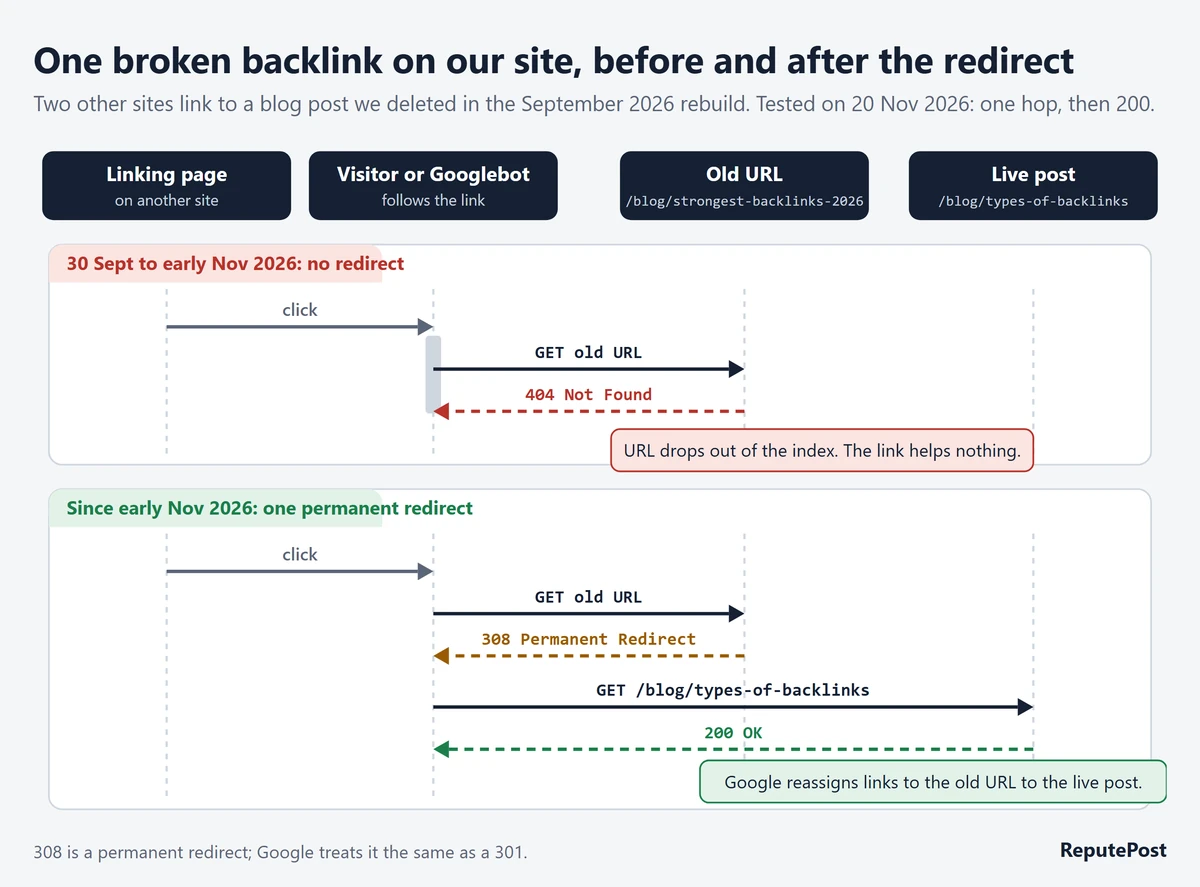
The real old URL from our rebuild, as a sequence. Before: the link ends on a 404 page. After: one permanent redirect, then the live post. Checked on 20 November 2026.
Google's site move guidance also suggests asking the sites behind your most valuable links to update them to the new URL. It's optional once a redirect works, so save that email for the links that send real visitors.
5. Ask for removed links back
A redirect can't help with a lost backlink: the link is gone from the other page. For links you earned or paid for, a short email is the only route. Keep it factual and give the owner an easy way to say no. Sometimes the link went during maintenance or a technical issue, and sometimes it was taken out on purpose. You want to find out which, not argue. Here's an email draft you can use:
Subject: The link to [your page] on "[their post title]"

Hi [first name],

I was doing a backlink audit and noticed that your post
"[their post title]" ([their URL]) no longer links to our
[page name]. Was that a technical issue, maintenance, or
something else?

If it was removed on purpose, no problem, and I'd be glad
to know why so we can fix anything on our side.

If it went missing in an update, this is the page it
pointed to: [your URL]. We updated it in [month year] and
it now covers [one specific thing].

Thanks for your time,
[Your name]
[Role], [Company]
Send it once, and only for links that matter. Recheck the rest every month in a one-row-per-link report so a removed link is caught in weeks, not after a year.
Track B: how to do broken link building
What is broken link building in SEO? It's a way to earn links from pages that point at something dead. You find a dead page on another site that still has backlinks, publish a page that does the same job better, and ask the sites that link to the dead page to link to yours instead. The site owner gets a working link for their readers; you get a link from a page that already chose to cite this topic.
The broken link building method has four steps. Which broken link building tool you use matters less than how strictly you filter at each step.
1. Find dead pages in your niche that still have links
Start with the pages that collect links in your niche, then look for the ones that have died:
- Competitors' dead pages. In Ahrefs Site Explorer, open a competitor's Best by links report and filter it to 404 pages. Ahrefs describes this filter as a way to "find highly linked-to broken pages on any website".
- Resource pages. Pages that list useful links on one topic go out of date fast. Search for them, then check their outbound links:
"your topic" intitle:resources
"your topic" inurl:links
"your topic" "useful links"
"your topic" "further reading"
To check a resource page's outbound links, use the outbound broken links report in your backlink tool, or run the page through a crawler such as Screaming Frog and look at the external links that return 404. A page with three dead links out of forty is a better prospect than a page where half the list is dead, because someone still maintains it.
Keep only dead pages that match a page you have or will build, and that have links from several separate sites. A dead page with one link isn't worth a new article.
2. Check who links to the dead page
Put the dead URL into your backlink tool and list the pages that link to it. Then vet each linking page as if you were paying for the link, because you're paying with time:
- Is it a real site with readers, not a link farm or a scraped copy?
- Is the linking page itself indexed and still getting visits?
- Is the link followed, or does it carry nofollow or ugc?
- Is the page about your topic, so your link would make sense to its readers?
- Has the page been updated in the last two or three years, so someone is likely to read your email?
Expect most of the list to fail. That's normal: the filter is the work.
3. Rebuild what the dead page offered
Open the dead URL in the Internet Archive's Wayback Machine and read the last good copy. Then read the sentences around each link to it. They tell you what the linkers valued: a statistic, a checklist, a definition, a tool. Your replacement has to cover those things, so the swap makes sense in every one of those sentences.
Then make it better in a way you can name in one line: newer figures, the steps the old page skipped, real screenshots. If you already have a page that does the job, update it instead of writing a new one. Don't copy the archived text. It belongs to its author, and a copy gives the owner no reason to prefer your page.
4. Pitch the replacement
Write to the person who edits the linking page, not a general inbox. Tell them about the dead link first, since that's useful to them whether or not they use your page. Treat the two emails below as a broken link building email template to adapt, not text to send unchanged. The first email:
Subject: Dead link on your [topic] page

Hi [first name],

I was reading "[their page title]" and noticed that the
link to [dead page title] in the [section name] section
now goes to a 404 page:
[dead URL]

The last archived copy is here if you want to see what
it covered: [Wayback Machine URL]

We have a page on the same topic, updated in [month year]:
[your URL]
It also [one-line difference, e.g. covers the 2026 changes
the old page predates].

If it's useful, it could replace the dead link. Either way,
the old link is worth fixing for your readers.

[Your name]
[Role], [Company]
And one follow-up, five to seven days later, then stop:
Subject: Re: Dead link on your [topic] page

Hi [first name],

A quick follow-up in case my last email got buried. The link
to [dead page title] on "[their page title]" still returns
a 404. The replacement I mentioned is here: [your URL]

I won't email about this again.

[Your name]
Leave out the compliments about their "amazing content", any request for a link in return, and attachments. Keep a simple sheet of every prospect: the linking page, the dead URL, the date of each email and the outcome.
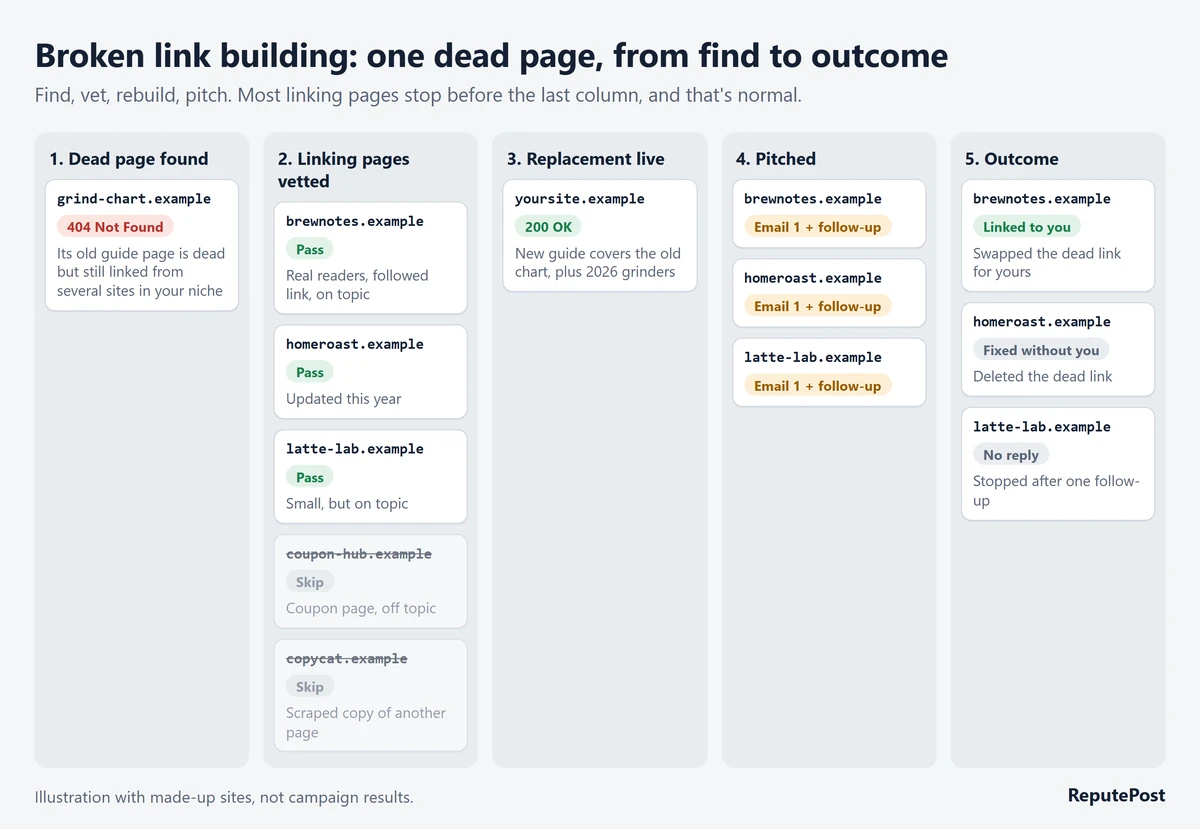
Track B as a board. One dead page, its linking pages vetted, one replacement and three pitches; only one ends with a link. The sites are made up.
Does broken link building still work?
Yes, but slowly, and less well than most guides suggest. In our 130-day case study, a new site reached the top five on day 130 with guest posts and niche edits. After that we tried broken link outreach. It brought two links, and we stopped, because the other methods were producing similar links faster.
The reasons the broken backlink strategy is slow haven't changed since the old version of this post. Many owners never reply. Others fix the dead link by deleting it or pointing it somewhere else, without using your page. SEO plugins and site audit tools now flag dead links for owners automatically. And some owners reply with a price, at which point it's a paid placement, not broken link building.
A broken link building strategy is worth the effort when three things are true. You have a page that is clearly better than the dead one. The dead page had links from many separate sites. And you can afford to wait weeks for each reply. Resource pages in slow-moving niches fit that well. A brand-new site with few strong pages usually doesn't.
When you need links on a schedule, buy placements where the site, the price and the guarantee are known before you pay. Niche edit placements from ReputePost add your link to an existing, indexed article on a DR30+ site, from $89. Delivery takes 2 to 14 days, and a removed link is replaced free. For a new article instead, you can search ReputePost's publisher sites, filter them and order a guest post on the exact site you pick.
If you have one hour this week
Spend it on Track A. Export Top linked pages from Search Console, check the status code of every URL on the list, and write down each one that returns 404 next to the live page it should redirect to. That list is usually short, and every row on it is a link someone already gave you that isn't working yet. Send it to whoever manages your server or CMS, and test each old URL once the redirects are live. Then put the first broken link building prospect on your calendar for next week.
Related articles
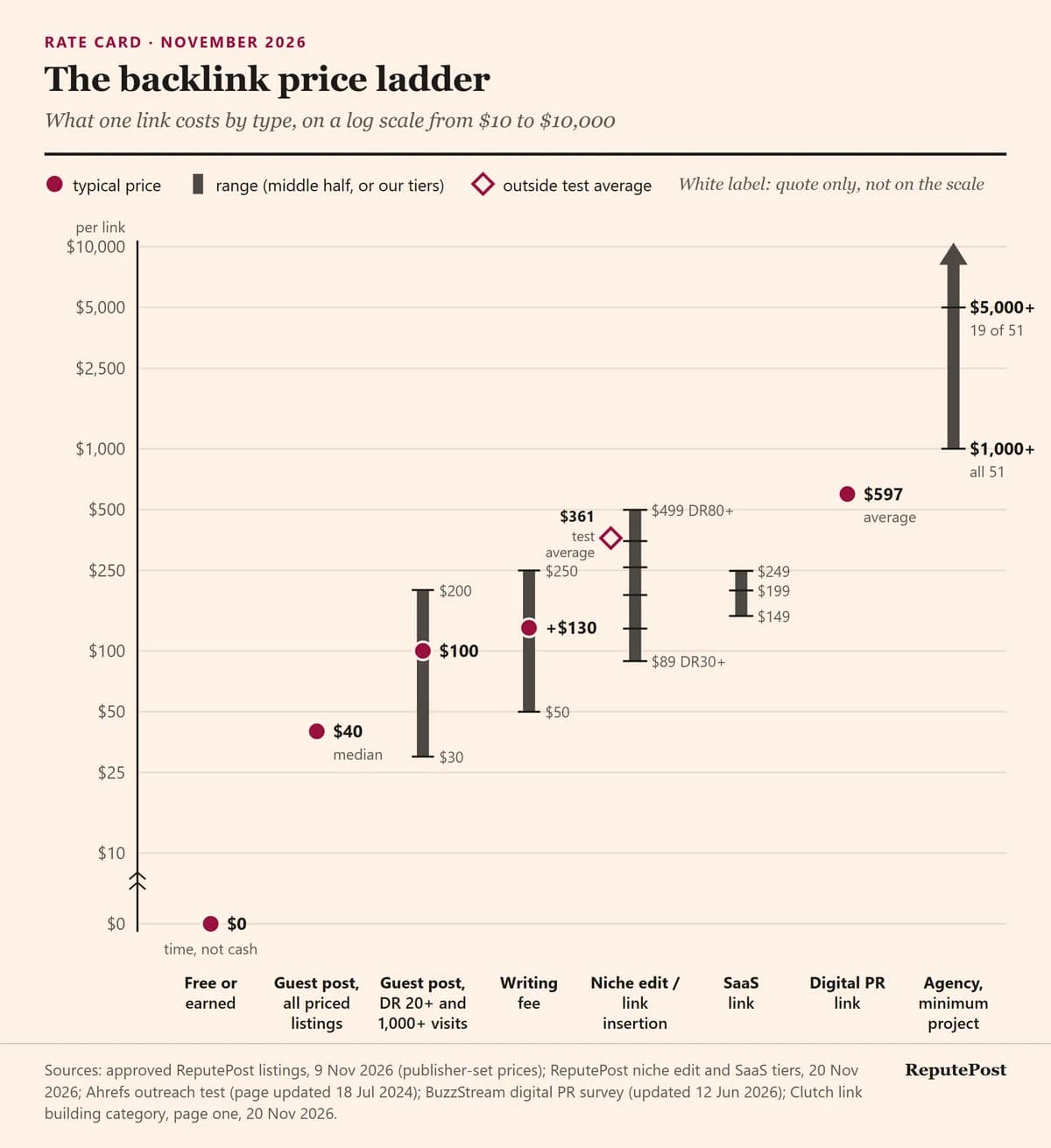
How Much Do Backlinks Cost? Prices by Link Type in 2026
Most backlinks cost $0 to about $600 in November 2026. Our 15,812 listings show traffic, not DR, sets a guest post's price. Rate card, budgets and checks.
15 min read
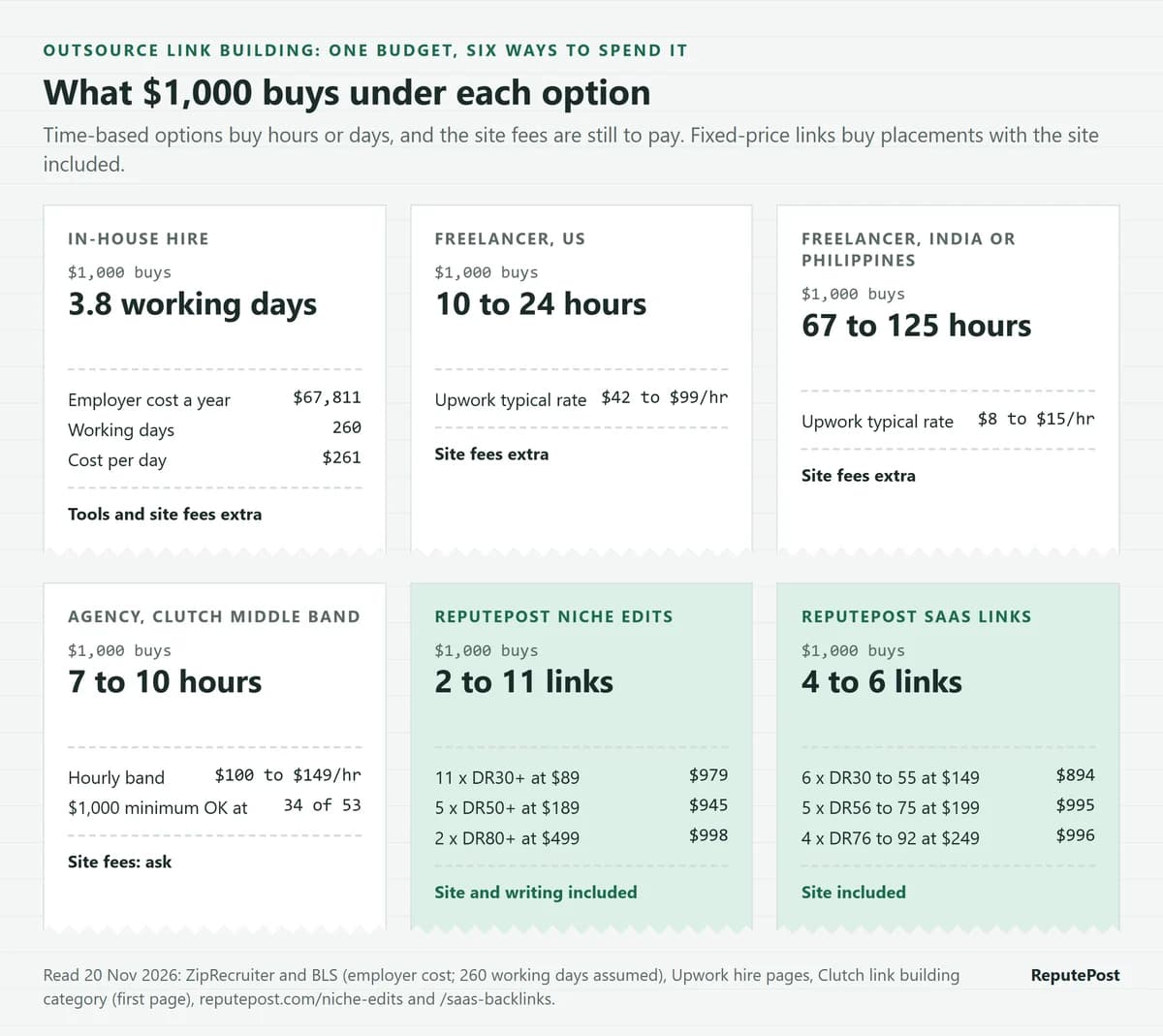
Outsource Link Building: What Each Option Costs
A US link builder costs about $67,800 a year with benefits; a niche edit costs $89 to $499. Compare five ways to outsource link building by cost per live link, then pick one, brief it and test it for 30 days.
18 min read
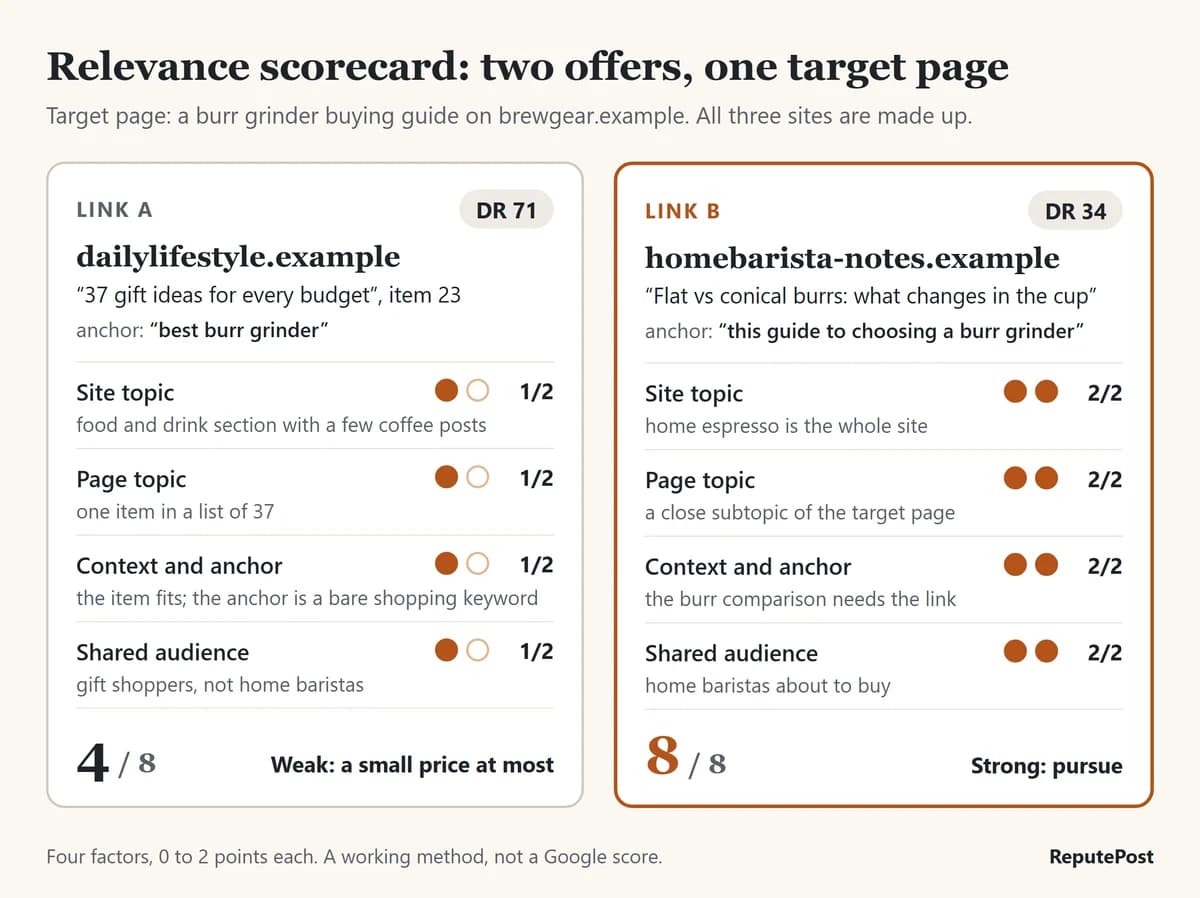
Relevant Backlinks: How to Find Niche Links
A DR 34 niche blog can beat a DR 71 magazine. Score any link on site topic, page topic, context and audience, see four worked examples, and find relevant backlinks that pass.
18 min read